

Phoneo vs Excel: Is a Spreadsheet Enough for a Mobile Shop?
A practical comparison of Excel and Phoneo for mobile shop billing, IMEI inventory, GST and daily reporting.
Quick Summary — Phoneo vs Excel in 30 seconds
For a mobile phone shop, Phoneo is the better choice because it automates IMEI tracking, GST billing, and daily reports that Excel requires you to build and maintain by hand — with far higher risk of errors, data loss, and wasted time as your stock grows.
Key takeaways:
- Excel is a general spreadsheet tool. It can list phones and prices, but has no built-in billing, GST compliance, or IMEI-aware inventory logic.
- Phoneo automates what Excel makes you do by hand — IMEI entry, duplicate checks, GST invoices, and daily reports.
- Excel files live on one device (or a shared drive) with no automatic backup; a corrupted or lost file can wipe out months of records.
- Excel has no customer ledger, no WhatsApp invoice sharing, and no real-time multi-staff access without conflicts.
- For a handful of products, Excel can work. For live phone inventory with IMEI, GST billing, and daily sales, it becomes error-prone fast.
Excel (or Google Sheets) is often the first tool a new mobile shop reaches for — it's familiar, free if you already have it, and flexible enough to list products and prices in a grid. Phoneo is a billing, inventory and CRM platform built exclusively for mobile phone retailers.
The comparison here isn't really software vs software — it's automation vs manual work. A spreadsheet does exactly what you type into it and nothing more. It won't warn you about a duplicate IMEI, generate a GST-compliant invoice, or remind a customer about their udhari balance.
This comparison looks at where Excel genuinely works for a very small shop, and exactly where it starts to break down as your phone inventory, staff and daily transactions grow.
Quick comparison at a glance
| Phoneo Seller | Excel | |
|---|---|---|
| Best for | Mobile phone shops of any size | A handful of products, very early stage |
| IMEI / serial tracking | ✅ Built-in, with duplicate alerts | ⚠️ Manual column, no validation |
| GST-compliant billing | ✅ Automatic, formatted invoices | ❌ Manual formula-built templates |
| Second-hand & exchange phones | ✅ Dedicated workflow | ❌ Manual notes only |
| Repair / job cards | ✅ Built-in | ❌ Separate sheet, no tracking |
| Automatic backup | ✅ Cloud backup | ❌ You must save/back up yourself |
| Multi-staff use without conflicts | ✅ Real-time, role-based | ❌ File-locking, overwrite risk |
| WhatsApp invoices | ✅ Built-in | ❌ Manual export and send |
| Cost | Paid subscription, 7-day free trial | Often already owned / free |
| Setup effort | ✅ Ready-made for phones | ❌ You build every formula and sheet |
What is Phoneo Seller?
Phoneo Seller is a billing, inventory and CRM platform built exclusively for mobile phone retailers in India. It tracks stock by IMEI/serial, manages new and second-hand devices, records customer credit (udhari), runs repair job cards, and gives your shop a QR-linked online storefront — all from an easy web and mobile interface, with no formulas to maintain.
Key features:
- IMEI/serial-based stock tracking with automatic duplicate detection
- Variant and colour-wise inventory built for handset models
- GST & Non-GST billing generated automatically, with WhatsApp invoice sharing
- Second-hand purchase, exchange and buyback workflows with ID-proof vault
- Repair and job-card management
- Customer ledger, udhari and IMEI-linked purchase history
- Unlimited staff with role-based permissions, working in real time without file conflicts
- Free digital storefront with phone specs, images and QR code
- Automatic cloud backup — no manual save required
Where Excel needs you to build and maintain formulas, Phoneo already knows what a phone shop needs.
What is Excel?
Excel (and similarly Google Sheets) is a general-purpose spreadsheet tool. Many mobile shops start here because it's familiar and doesn't require buying new software — you create columns for IMEI, model, price and quantity, and update them manually with every purchase and sale.
Key features:
- Flexible grid layout you fully control
- Formulas for basic totals and calculations
- Works offline once downloaded
- Can be shared via a shared drive or emailed file
- No monthly cost if you already have Excel or use free Google Sheets
Excel is a blank canvas — everything a phone shop actually needs (IMEI checks, GST formatting, backups, staff access control) has to be built by you, and maintained by you, forever.
Phoneo vs Excel: feature-by-feature comparison
Inventory management
| Feature | Phoneo | Excel |
|---|---|---|
| IMEI / serial number per device | ✅ Built-in field | ⚠️ Just another text column |
| Duplicate IMEI detection | ✅ Real-time alert | ❌ Only if you build a formula and remember to check it |
| New + second-hand stock in one place | ✅ | ⚠️ Manual separate sheets |
| Accessories inventory | ✅ | ⚠️ Manual |
| Low-stock alerts | ✅ | ❌ No native alerts |
| Smart bulk stock upload | ✅ From a bill photo, PDF, Excel or CSV | ⚠️ You type or copy-paste every row |
| Dead-stock clearance tools | ✅ | ❌ |
Phoneo wins clearly here. Excel has no concept of a phone's IMEI beyond a text cell — nothing stops a typo or a duplicate entry. See smart inventory management and IMEI-based stock audit.
Billing, GST & invoicing
| Feature | Phoneo | Excel |
|---|---|---|
| GST billing (CGST/SGST/IGST) | ✅ Automatic | ⚠️ Manual formula template |
| Non-GST cash memo | ✅ | ⚠️ Manual template |
| HSN auto-fill + GSTIN validation | ✅ | ❌ None |
| WhatsApp invoice sharing | ✅ One tap | ❌ Export, then manually attach and send |
| Thermal / A4 print-ready invoice | ✅ | ⚠️ You design the layout |
| Repair job invoice | ✅ | ❌ |
| Invoice numbering (sequential, GST-safe) | ✅ Automatic | ❌ Manual, error-prone |
Excel can produce a bill-shaped document, but keeping it GST-safe (sequential numbering, correct HSN, correct tax split) is entirely your responsibility. See GST billing & invoice generator.
Data safety & multi-staff access
| Feature | Phoneo | Excel |
|---|---|---|
| Automatic cloud backup | ✅ | ❌ You must save and back up manually |
| Risk of losing all data (crash, theft, corruption) | ✅ Protected | ❌ High risk if not backed up |
| Multiple staff editing at once | ✅ Real-time, no conflicts | ❌ File-locking or overwritten changes |
| Access control per staff member | ✅ Role-based permissions | ❌ Anyone with the file can edit anything |
| Audit trail of who changed what | ✅ | ❌ None |
This is where Excel becomes genuinely risky for a growing shop — one overwritten file or one lost laptop can erase your entire inventory history.
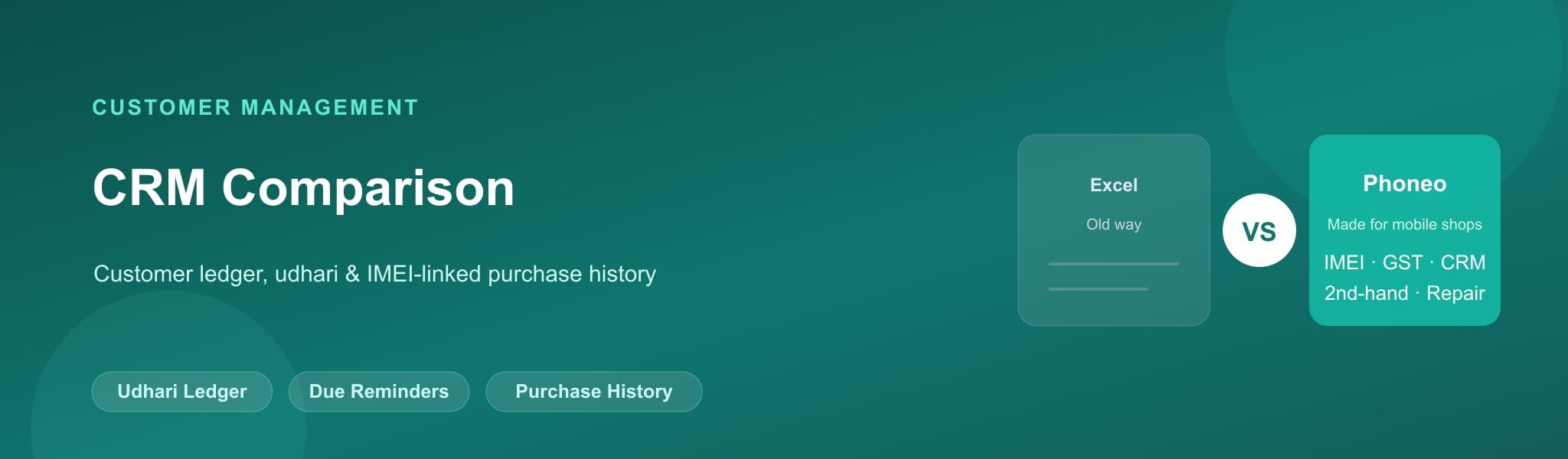
Customer management (CRM & udhari)
| Feature | Phoneo | Excel |
|---|---|---|
| Customer ledger (udhari) | ✅ Automatic, always up to date | ⚠️ Manual, easy to forget an entry |
| Due-payment reminders | ✅ WhatsApp/SMS | ❌ You must remember and message manually |
| IMEI-linked purchase history | ✅ | ❌ Requires cross-referencing sheets |
| Customer ID-proof storage (used phones) | ✅ Digital vault | ❌ Paper files, easily misplaced |
A spreadsheet can hold customer names and numbers, but tracing a specific phone back to a specific customer means searching multiple sheets by hand. See credit & payment tracking.
Staff, reporting & platform
| Feature | Phoneo | Excel |
|---|---|---|
| Daily/monthly sales and profit reports | ✅ Automatic | ⚠️ You build pivot tables yourself |
| Staff roles for a shop | ✅ Custom roles + salary | ❌ No native concept |
| Runs on phone at the counter | ✅ Purpose-built app | ⚠️ Mobile spreadsheet apps are clunky for billing |
| Free QR storefront | ✅ | ❌ |
Reports that take Phoneo one click can take an experienced Excel user significant setup time — and any mistake in a formula silently corrupts every report built on it.
Pricing comparison
| Phoneo | Excel | |
|---|---|---|
| Free tier | ❌ (7-day free trial) | ✅ Often already owned, or free (Google Sheets) |
| Ongoing cost | Monthly subscription | Free, but your time cost is real |
| Setup cost | Free guided onboarding | Hours of your own formula-building |
| Built for mobile shops | ✅ Yes | ❌ General-purpose tool |
Excel/Sheets has no license cost specific to this use case, but the real cost is the hours spent building and fixing formulas, plus the risk of losing data. See Phoneo pricing and plans.
Where Phoneo beats Excel
📱 IMEI tracking with validation
Real duplicate-IMEI alerts. Excel has no idea what an IMEI even is.
🧾 Automatic GST billing
Compliant, sequentially numbered invoices in one tap — not a formula you maintain.
☁️ Automatic cloud backup
No risk of losing months of data to a crashed laptop or a corrupted file.
👥 Real multi-staff access
Several staff can bill and update stock at once without overwriting each other.
🔄 Second-hand & repair workflows
Purpose-built flows Excel simply has no template for.
🏪 Free QR storefront
An online store with phone specs and images — impossible to build in a spreadsheet.
Where Excel beats Phoneo
💸 No extra cost
If you already have Excel or use free Google Sheets, there's no direct subscription fee.
🎛️ Total flexibility
You can structure the sheet exactly how you like, with no fixed workflow.
📴 Works fully offline
A downloaded spreadsheet needs no internet connection to open and edit.
✅ Who should choose Phoneo?
- You run a mobile phone shop with any real volume of stock
- You want IMEI tracking with duplicate protection, not a text column
- You need GST-compliant, WhatsApp-shareable invoices without manual formatting
- You have staff who need their own access without overwriting each other's work
- You want your data safely backed up automatically
✅ Who should choose Excel?
- You have a very small, early-stage shop with just a handful of products
- You're comfortable building and maintaining your own formulas
- You need a temporary, zero-cost stopgap before adopting proper software
Decision matrix: which one should you pick?
| Your situation | Best choice |
|---|---|
| Mobile shop with 50+ phones in stock | Phoneo |
| Any shop issuing GST invoices regularly | Phoneo |
| More than one staff member handling billing | Phoneo |
| Brand-new shop testing the waters with 5-10 phones | Excel (short term), then Phoneo |
| You want a searchable IMEI history and used-phone records | Phoneo |
Final verdict
Excel can work as a stopgap for a brand-new shop with a handful of phones, but it was never built for retail inventory, GST compliance, or IMEI tracking — everything has to be built and maintained by hand, with real risk of lost data and costly mistakes. Phoneo automates exactly what Excel makes you do manually, and adds second-hand phone handling, repairs, staff roles and a storefront that a spreadsheet simply cannot offer.
Frequently asked questions
Q: Is Excel good enough for inventory management in a mobile shop?
Excel can work for a very small shop with a handful of products, but it has no IMEI validation, no duplicate detection, and no automatic backup — risks that grow quickly as your stock increases.
Q: Can Excel track IMEI numbers?
You can type an IMEI into a spreadsheet cell, but Excel has no built-in validation, duplicate-detection, or way to link an IMEI to a specific sale automatically the way Phoneo does.
Q: Why should a mobile shop move from Excel to Phoneo?
Phoneo automates IMEI tracking, GST billing, customer ledgers and reports that Excel requires you to build and maintain manually — saving time and reducing costly data-entry errors.
Q: Is Excel free to use for mobile shop billing?
Excel or Google Sheets has no extra license cost if you already have access to it, but the real cost is the hours spent building templates, fixing formulas, and the risk of losing data without proper backup.
Q: Can multiple staff use the same Excel sheet at once?
Shared Excel files can suffer from file-locking or overwritten changes when multiple people edit at once. Phoneo supports multiple staff working in real time with role-based permissions.
Q: Does Excel generate GST-compliant invoices?
Excel can produce a bill-shaped document using a manually built template, but keeping it GST-compliant — correct tax splits, HSN codes, sequential invoice numbers — is entirely your responsibility.
Q: What happens if my Excel file gets corrupted or lost?
Without a manual backup, a corrupted file, stolen laptop, or accidental deletion can wipe out your entire inventory and sales history. Phoneo backs up your data automatically to the cloud.
Q: Can Excel handle second-hand phone inventory?
Only with manual notes and separate sheets you design yourself. Phoneo has a dedicated second-hand purchase, grading and exchange workflow with a customer ID-proof vault.
Q: Does Excel send invoices on WhatsApp automatically?
No. You would need to export the file or a PDF and manually attach and send it. Phoneo shares GST invoices on WhatsApp with one tap.
Q: Is Phoneo harder to learn than Excel?
No — Phoneo is designed specifically for mobile shop workflows, so most shop staff learn it faster than building and maintaining a custom Excel system from scratch.
Q: Can Excel generate daily profit reports automatically?
Only if you build pivot tables and formulas yourself, and keep them updated as your data changes. Phoneo generates sales, profit and inventory reports automatically.
Q: Does Excel work offline?
Yes, a downloaded spreadsheet works without internet. Phoneo is cloud-first, which means real-time sync and automatic backup, but does rely on connectivity.
Q: When should a mobile shop stop using Excel?
As soon as you're tracking more than a handful of phones, issuing regular GST invoices, or have more than one staff member billing — the manual work and data-loss risk in Excel grow quickly past that point.
Q: Can I import my existing Excel stock list into Phoneo?
Yes. Phoneo's smart bulk stock upload can import inventory directly from an Excel or CSV file, saving you from retyping everything.
Q: Does Excel track customer udhari (credit)?
You can maintain a manual ledger column, but there are no automatic reminders or IMEI-linked purchase history. Phoneo tracks udhari with WhatsApp/SMS reminders built in.
Q: Is Google Sheets better than Excel for a mobile shop?
Google Sheets adds real-time collaboration over standard Excel, but it still has none of the IMEI validation, GST billing automation, or retail-specific workflows that Phoneo provides.
Q: Can Excel print mobile phone labels?
Not without significant manual design work. Phoneo has pre-designed 25×50 mobile labels you print in one click.
Q: Is a spreadsheet a security risk for business data?
It can be — an unprotected shared file has no access control, no audit trail, and is easy to accidentally overwrite or delete. Phoneo uses role-based permissions and secure cloud storage.
If you run a mobile shop and you're tired of tools that weren't built for your business, Phoneo is the answer.