

Phoneo vs Manual Billing: Why Handwritten Bills Are Costing You
A practical comparison of handwritten bill books and instant GST billing software for mobile phone shops.
Quick Summary — Phoneo vs Manual Billing in 30 seconds
For a mobile phone shop, Phoneo is far better than manual billing because it generates accurate, GST-compliant invoices in seconds, shares them on WhatsApp, keeps a searchable record, and automatically updates your inventory — none of which a handwritten bill book can do.
Key takeaways:
- Manual billing means writing each sale into a carbon-copy bill book or cash memo book by hand.
- GST invoices have specific format requirements (GSTIN, HSN codes, tax splits, sequential numbering) that are hard to keep error-free by hand.
- Handwritten bills can't be shared on WhatsApp, can't be reprinted if lost, and give no searchable sales history.
- Phoneo generates a GST or non-GST invoice in seconds, shares it on WhatsApp, and keeps every bill searchable forever.
- Manual billing also leaves no automatic link between a bill and your stock — so inventory doesn't update itself.
Many mobile shops — especially smaller ones — still write out each sale by hand in a carbon-copy bill book, giving the customer one copy and keeping the other for records. It's familiar, needs no setup, and works even without electricity. Phoneo is a billing, inventory and CRM platform built exclusively for mobile phone retailers.
The comparison here is really about risk and speed. A handwritten bill takes longer to write correctly, is easy to make an arithmetic or GST error on, can't be reprinted if lost, and creates no digital trail linking that sale back to a specific phone's IMEI or a customer's history.
This comparison looks at exactly where manual billing breaks down for a mobile shop — GST compliance, speed at a busy counter, and connecting a sale to your actual stock.
Quick comparison at a glance
| Phoneo Seller | Manual Billing | |
|---|---|---|
| Best for | Any mobile shop billing regularly | Very small, occasional cash sales only |
| GST-compliant invoice format | ✅ Automatic | ❌ Manual, error-prone |
| Billing speed at a busy counter | ✅ Seconds | ❌ Minutes per bill, handwriting |
| WhatsApp invoice sharing | ✅ Built-in | ❌ Not possible |
| Searchable bill history | ✅ Instant search | ❌ Flip through bill book pages |
| Links bill to IMEI / stock | ✅ Automatic | ❌ Manual cross-reference, if at all |
| Duplicate/reprint a lost bill | ✅ One click | ❌ Not possible |
| Sequential invoice numbering | ✅ Automatic, audit-safe | ⚠️ Manual, easy to skip or repeat |
| Cost | Paid subscription, 7-day free trial | Cost of bill books, low |
| Works without internet/power | ⚠️ Needs connectivity | ✅ Always works |
What is Phoneo Seller?
Phoneo Seller is a billing, inventory and CRM platform built exclusively for mobile phone retailers in India. It generates GST and Non-GST invoices automatically, tracks stock by IMEI/serial, records customer credit (udhari), runs repair job cards, and gives your shop a QR-linked online storefront — all from an easy web and mobile interface.
Key features:
- GST & Non-GST billing generated in seconds, with correct tax splits and HSN codes
- One-tap WhatsApp invoice sharing — no printing required if the customer prefers digital
- Automatic, sequential, audit-safe invoice numbering
- Every bill searchable instantly by customer, date, or IMEI
- IMEI/serial-based stock tracking that updates automatically with every sale
- Second-hand purchase, exchange and buyback workflows with ID-proof vault
- Repair and job-card management
- Customer ledger, udhari and IMEI-linked purchase history
Every bill Phoneo generates is already correct, already saved, and already linked to your stock — with zero handwriting.
What is Manual Billing?
Manual billing means writing each sale by hand into a carbon-copy cash memo or bill book — one copy for the customer, one retained for your own records. It's the traditional method many mobile shops started with, requiring no software, no internet, and no learning curve beyond writing.
Key features:
- No software or setup required
- Works without electricity or internet
- Low upfront cost — just printed bill books
- Familiar to shop owners and staff
- Physical copy the customer can hold immediately
Manual billing is simple, but every bill is a fresh chance for a GST error, a math mistake, or a page that gets lost — and none of it talks to your stock.
Phoneo vs Manual Billing: feature-by-feature comparison
GST & invoice accuracy
| Feature | Phoneo | Manual Billing |
|---|---|---|
| Correct CGST/SGST/IGST split every time | ✅ Automatic | ❌ Manual calculation risk |
| HSN code on every bill | ✅ Auto-filled | ❌ Easy to forget or get wrong |
| GSTIN validation for B2B bills | ✅ | ❌ None |
| Sequential invoice numbers (GST rule) | ✅ Automatic | ⚠️ Manual, easy to duplicate or skip |
| Legible, professional invoice | ✅ Always | ⚠️ Depends on handwriting |
GST rules require specific, consistent invoice formatting — exactly the kind of detail that's easy to get wrong by hand at a busy counter. See GST billing & invoice generator.
Speed & customer experience
| Feature | Phoneo | Manual Billing |
|---|---|---|
| Time to generate one bill | ✅ A few seconds | ❌ Several minutes, handwriting |
| WhatsApp invoice sharing | ✅ One tap | ❌ Not possible |
| Thermal / A4 print | ✅ | ⚠️ Pre-printed book only |
| Reprint a lost invoice | ✅ One click, any time | ❌ Impossible — original is gone |
| Repair job invoice | ✅ | ❌ |
At a busy counter with several customers waiting, the speed difference between typing a bill and writing one by hand adds up fast.
Records, search & stock linkage
| Feature | Phoneo | Manual Billing |
|---|---|---|
| Searchable bill history | ✅ By customer, date, IMEI | ❌ Flip through physical pages |
| Bill automatically updates stock | ✅ | ❌ Manual, separate step (if done at all) |
| Bill linked to a specific IMEI | ✅ | ⚠️ Only if manually written down |
| Risk of losing all records | ✅ Protected, cloud-backed | ❌ Fire, water, theft, misplacement |
| Month-end sales/profit totals | ✅ Automatic report | ❌ Manual addition across every page |
A bill book has no connection to your stock at all — it's on you to separately update inventory after every sale, or it silently drifts out of sync. See smart inventory management.
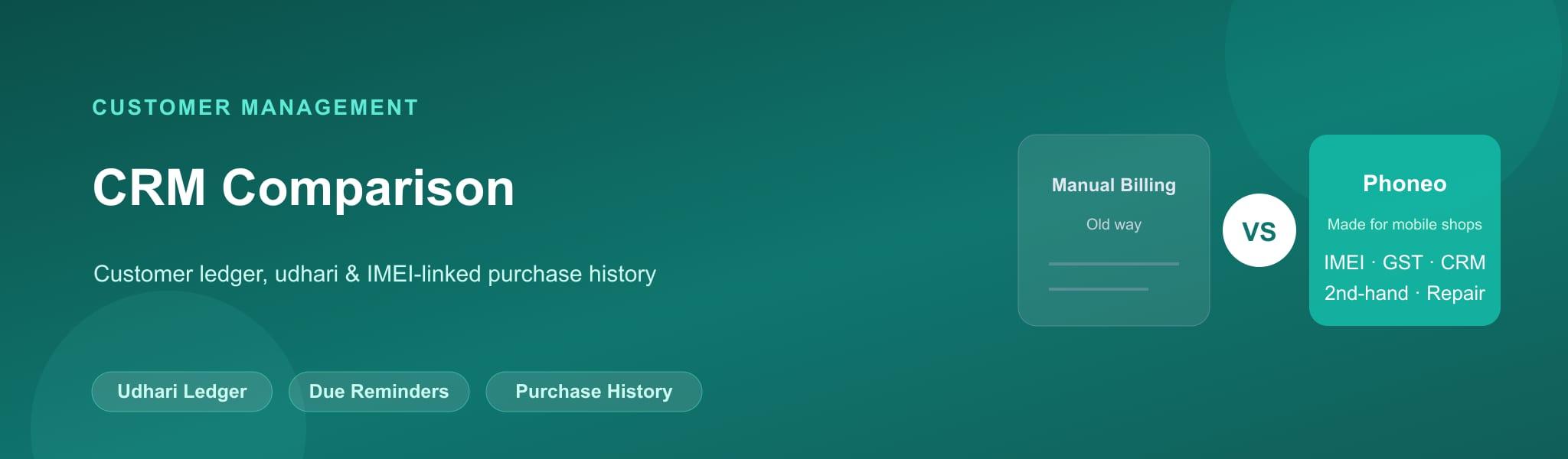
Customer management (CRM & udhari)
| Feature | Phoneo | Manual Billing |
|---|---|---|
| Customer ledger (udhari) | ✅ Automatic | ❌ Separate notebook, if kept at all |
| Due-payment reminders | ✅ WhatsApp/SMS | ❌ Manual, easy to forget |
| Warranty / purchase proof for a customer | ✅ Reprint any time | ❌ Only if they kept their copy |
When a customer returns with a warranty question, Phoneo shows the exact bill instantly. With manual billing, you're hoping they kept their copy.
Pricing comparison
| Phoneo | Manual Billing | |
|---|---|---|
| Free tier | ❌ (7-day free trial) | ✅ Just the cost of bill books |
| Ongoing cost | Monthly subscription | Low — printing cost only |
| Hidden cost | None | Time, errors, lost bills, GST compliance risk |
| Built for mobile shops | ✅ Yes | ❌ Generic paper format |
Manual billing has almost no direct cost, but the hidden cost is time, arithmetic errors, and GST compliance risk during a tax audit. See Phoneo pricing and plans.
Where Phoneo beats Manual Billing
🧾 Accurate GST invoices
Correct tax splits and HSN codes every time, with zero manual calculation.
⚡ Faster billing
Seconds per bill instead of minutes of handwriting at a busy counter.
📲 WhatsApp invoice sharing
Send a digital copy instantly — no printing needed if the customer prefers it.
🔍 Searchable records
Find any past bill by customer, date, or IMEI instantly.
🔗 Auto stock updates
Every bill automatically adjusts your inventory — no separate manual step.
♻️ Reprint any lost bill
A torn or lost physical copy is never a problem again.
Where Manual Billing beats Phoneo
🔌 Works without power or internet
A pen and a bill book never run out of battery or signal.
💸 Very low upfront cost
Printed bill books cost far less than a software subscription.
🧑🤝🧑 No learning curve
Anyone who can write can start billing immediately.
✅ Who should choose Phoneo?
- You issue GST invoices regularly and need them accurate
- You want faster billing at a busy counter
- You want customers to be able to get a WhatsApp copy of their invoice
- You want your stock to update automatically with every sale
- You want a searchable history of every bill you've ever issued
✅ Who should choose Manual Billing?
- You make very occasional cash sales with no GST requirement
- You need a billing method that works with no power or internet at all
- You're not ready to invest in software yet and want a free stopgap
Decision matrix: which one should you pick?
| Your situation | Best choice |
|---|---|
| Mobile shop issuing GST invoices daily | Phoneo |
| Busy counter with multiple customers waiting | Phoneo |
| You want WhatsApp invoice sharing | Phoneo |
| Extremely low-volume, cash-only, no GST requirement | Manual billing (short term) |
| You need bills linked to specific IMEI/stock | Phoneo |
Final verdict
Manual billing can work for an extremely low-volume, cash-only shop with no GST requirement, but for any mobile shop billing regularly, it creates real risk — GST errors, lost bills, no stock linkage, and no searchable history. Phoneo generates accurate, GST-compliant invoices in seconds, shares them on WhatsApp, and automatically keeps your inventory and customer records in sync.
Frequently asked questions
Q: Is manual billing legal for GST invoices?
Handwritten GST invoices are technically permitted if they contain all required details correctly (GSTIN, HSN, tax split, sequential numbering), but getting every field right by hand consistently is difficult and risky during an audit.
Q: Why should a mobile shop stop manual billing?
Manual billing is slow, error-prone for GST compliance, creates no searchable record, and doesn't automatically update your stock — all of which Phoneo handles automatically.
Q: Can I share a handwritten bill on WhatsApp?
Not directly — you'd need to photograph or scan the paper bill first. Phoneo generates a digital invoice you can share on WhatsApp with one tap.
Q: What happens if a customer loses their handwritten bill?
With manual billing, a lost bill usually can't be recreated unless you kept a perfectly organised carbon copy. Phoneo lets you reprint any past invoice instantly.
Q: Does manual billing update my stock automatically?
No. You have to separately update your inventory records after every manual sale, which is easy to forget or delay. Phoneo updates stock automatically with every bill.
Q: Is Phoneo faster than writing a bill by hand?
Yes. Generating a GST or non-GST invoice in Phoneo takes seconds, while a handwritten bill with correct tax calculations can take several minutes, especially during busy periods.
Q: Can manual billing track which IMEI was sold?
Only if you separately write the IMEI on the bill and manually cross-reference it later. Phoneo links every bill directly to the exact phone's IMEI automatically.
Q: Does manual billing help with GST returns?
Not directly — you'd need to manually total every bill for your GST filing. Phoneo can help generate reports that make GST filing easier.
Q: Is there a risk of arithmetic errors in manual billing?
Yes, calculating GST splits and totals by hand under counter pressure is a common source of errors. Phoneo calculates every bill automatically and accurately.
Q: Can I switch from manual billing to Phoneo without losing my old records?
Your existing paper bills remain as they are. You enter your current stock in Phoneo — or upload it from an Excel sheet or bill photos using AI bulk upload — and start billing digitally from that day forward.
Q: Does manual billing give me sales reports?
Only if you manually total every page of every bill book — a slow, error-prone process. Phoneo generates daily, monthly and profit reports automatically.
Q: Is manual billing cheaper than software?
The direct cost of bill books is low, but the hidden costs — time, errors, lost bills, and no stock linkage — often outweigh a software subscription for any shop billing regularly.
Q: Can manual billing work without electricity?
Yes, that's one advantage of paper bill books. Phoneo needs a device and internet connection, though mobile data makes this rarely a practical limitation today.
Q: Does Phoneo replace my bill book completely?
Yes. Phoneo generates, stores, and lets you reprint every invoice digitally, removing the need for a physical bill book for day-to-day billing.
Q: Can I still print a physical copy from Phoneo?
Yes. Phoneo supports thermal and A4 printing alongside WhatsApp sharing, so customers who want a paper copy can still have one.
If you run a mobile shop and you're tired of tools that weren't built for your business, Phoneo is the answer.