

Offline Billing vs Cloud Billing: Which Is Right for Your Mobile Shop?
Understanding the real difference between desktop-locked billing software and cloud billing for phone retailers.
Quick Summary — Phoneo vs Offline Billing in 30 seconds
For most mobile phone shops, cloud billing is the better choice because it protects your data with automatic backups, gives you access from anywhere, and supports multi-branch visibility — advantages that matter more day to day than offline billing's ability to work without internet.
Key takeaways:
- Offline billing software stores data locally on one computer — if that computer fails, is stolen, or is unavailable, so is your business data.
- Cloud billing stores data on secure remote servers, accessible from any device, with automatic backups and real-time sync.
- Offline billing struggles with multi-branch visibility — each location's data typically stays separate unless manually consolidated.
- Cloud billing lets an owner check sales, stock, or udhari from anywhere, including while away from the shop.
- Offline billing can still work without internet at the moment of billing, which matters in low-connectivity areas.
Offline billing software runs entirely on a local computer, storing your invoices, stock and customer data on that machine's hard drive. It's how most billing software worked for decades, and it still has real advantages in low-connectivity areas. Cloud billing, by contrast, stores your data on secure remote servers and syncs in real time across any device with internet access.
For a mobile phone shop specifically, this isn't just a technical detail — it changes how safe your data is, how visible your business is when you're not physically at the counter, and how easily a second branch can share the same records.
This comparison looks at exactly where each approach helps or hurts a mobile shop, using Phoneo as an example of a cloud-first mobile shop platform.
Quick comparison at a glance
| Phoneo Seller | Offline Billing | |
|---|---|---|
| Best for | Cloud billing — most mobile shops, especially multi-branch | Offline billing — very low-connectivity areas, single-PC counters |
| Data safety if the device fails | ✅ Protected — cloud backup | ❌ At serious risk without manual backup |
| Access from outside the shop | ✅ Any device, anywhere | ❌ Locked to that one computer |
| Multi-branch visibility | ✅ Real-time, unified | ❌ Each branch's data usually separate |
| Works without internet at all | ⚠️ Needs connectivity | ✅ Works fully offline |
| Real-time staff sync | ✅ Multiple devices, no conflicts | ❌ Single machine, one user at a time typically |
| Software updates | ✅ Automatic | ❌ Manual install, often paid upgrades |
| IMEI-wise inventory (mobile-shop specific) | ✅ Built-in | ⚠️ Depends entirely on the specific software |
| WhatsApp invoice sharing | ✅ Built-in | ⚠️ Rare in offline-only tools |
| Risk from theft of the computer/shop | ✅ Data still safe in the cloud | ❌ Data can be lost along with the device |
What is Phoneo Seller?
Phoneo Seller is a cloud-first billing, inventory and CRM platform built exclusively for mobile phone retailers in India. Every bill, every IMEI entry, and every customer record syncs to the cloud automatically, so your data is safe and accessible from any device, at any branch, at any time.
Key features:
- Cloud-based IMEI/serial-based stock tracking for new and second-hand phones
- GST & Non-GST billing accessible from web, Android and iOS
- Real-time multi-branch visibility from one dashboard
- Automatic cloud backup — no manual backup step, ever
- Customer ledger, udhari and IMEI-linked purchase history, synced across devices
- Multiple staff can bill and update stock at the same time without conflicts
- Automatic software updates — always the latest version, no manual installs
- Free digital storefront accessible to customers anywhere
With cloud billing, your shop's data lives safely beyond any single computer, phone, or location.
What is Offline Billing?
Offline billing software is installed and runs on a single computer, with all invoices, stock and customer data stored locally on that machine's hard drive. It doesn't require an internet connection to create a bill, and has historically been common in areas with unreliable connectivity or for shop owners who prefer keeping data entirely under their own physical control.
Key features:
- Works without an internet connection
- No recurring data/hosting dependency to bill a customer
- Familiar to long-time users of traditional desktop software
- Data physically stored on-site, under the owner's direct control
- Often a one-time or lower recurring license cost
Offline billing keeps you working without internet — but it also means your entire business record lives or dies with one physical machine.
Phoneo vs Offline Billing: feature-by-feature comparison
Data safety & backup
| Feature | Phoneo | Offline Billing |
|---|---|---|
| Automatic backup | ✅ Continuous, to the cloud | ❌ Manual, and often skipped |
| Risk if the computer crashes or is stolen | ✅ Data unaffected | ❌ Can mean permanent data loss |
| Risk of fire, flood or physical damage to the shop | ✅ Data safe off-site | ❌ Local data can be destroyed with the machine |
| Recovery time after a hardware failure | ✅ Minutes — log in on any device | ❌ Days, if recoverable at all |
This is the single biggest practical risk of offline billing for a growing shop — one bad day with the computer can mean losing months of records. See smart inventory management.
Access & multi-branch visibility
| Feature | Phoneo | Offline Billing |
|---|---|---|
| Check sales/stock from home or while travelling | ✅ Any device, anywhere | ❌ Only from that one computer |
| Multiple branches sharing live data | ✅ Unified, real-time | ❌ Usually separate, manually consolidated |
| Multiple staff billing at once | ✅ No conflicts | ❌ Typically one user, one machine |
| Owner oversight without being physically present | ✅ Full visibility | ❌ Limited or none |
For any shop with more than one counter, or an owner who isn't always on-site, this gap becomes a daily inconvenience rather than an occasional one.
Billing, GST & connectivity
| Feature | Phoneo | Offline Billing |
|---|---|---|
| GST billing | ✅ | ✅ (varies by software) |
| Works with zero internet connection | ⚠️ Needs connectivity | ✅ Full offline capability |
| WhatsApp invoice sharing | ✅ Built-in | ⚠️ Rare, usually requires manual export |
| IMEI-wise billing (phone-specific) | ✅ Built-in | ⚠️ Depends entirely on the specific offline tool |
In genuinely low-connectivity areas, offline billing's ability to work with zero internet is a real, practical advantage. See GST billing & invoice generator.
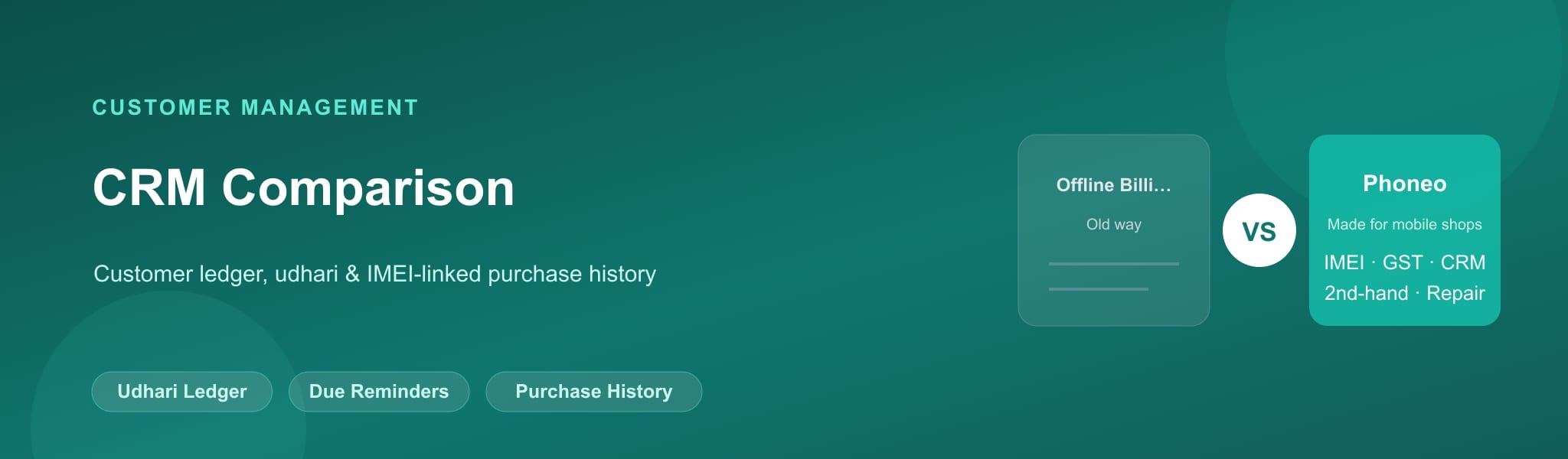
Customer management & updates
| Feature | Phoneo | Offline Billing |
|---|---|---|
| Customer ledger accessible from any device | ✅ | ❌ Only from the local machine |
| Software updates | ✅ Automatic, always current | ❌ Manual install, sometimes paid |
| New feature rollout speed | ✅ Immediate for all users | ❌ Depends on manual update adoption |
Cloud software also means you're never stuck on an old, unsupported version because nobody got around to installing an update. See credit & payment tracking.
Pricing comparison
| Phoneo | Offline Billing | |
|---|---|---|
| Model | Cloud SaaS subscription | Often one-time or lower-cost local license |
| Backup cost | ✅ Included | ❌ Extra effort/cost if done at all |
| Hardware dependency | ✅ Any device | ❌ Tied to the licensed computer |
| Built for mobile shops | ✅ Yes (Phoneo) | ⚠️ Depends on the specific offline software |
Offline billing software can appear cheaper upfront, but the real cost shows up if data is ever lost — recovering (or re-entering) a shop's full history is far more expensive than a subscription. See Phoneo pricing and plans.
Where Phoneo beats Offline Billing
☁️ Automatic cloud backup
Your data survives a crashed, stolen or damaged computer.
📍 Access from anywhere
Check sales, stock and udhari from home, or from a second branch.
🏬 Real-time multi-branch view
All locations share live data instead of separate, manually merged files.
👥 Multiple staff, no conflicts
Several people can bill and update stock at once, from different devices.
🔄 Automatic updates
Always on the latest version — no manual installs or forgotten upgrades.
📱 IMEI-native for phones
Cloud billing here is also purpose-built for mobile retail, not generic.
Where Offline Billing beats Phoneo
📴 Works with zero internet
Genuinely useful in areas with unreliable or no internet connectivity.
🔒 Data stays fully on-site
Some owners prefer their data never leaving their own machine.
💸 Often lower upfront cost
One-time or low-cost licenses can look cheaper than a subscription at first glance.
✅ Who should choose Phoneo?
- You have reliable internet access at your shop (mobile data counts)
- You run more than one branch, or want to check in remotely
- You want your data protected against theft, fire, or hardware failure
- You have multiple staff who need to bill at the same time
- You want automatic updates and new features without manual installs
✅ Who should choose Offline Billing?
- You operate in an area with genuinely unreliable or absent internet
- You strongly prefer data staying only on a machine you physically control
- You run a very small, single-counter operation with no need for remote access
Decision matrix: which one should you pick?
| Your situation | Best choice |
|---|---|
| Single shop with reliable internet/mobile data | Cloud billing |
| Multi-branch mobile retail chain | Cloud billing |
| Shop in a genuinely low-connectivity area | Offline billing (or a hybrid approach) |
| Owner who travels or manages remotely | Cloud billing |
| You want protection against data loss from theft or damage | Cloud billing |
Final verdict
For most mobile phone shops today, cloud billing is the safer and more practical choice — automatic backups, access from anywhere, and real multi-branch visibility solve real, everyday problems that offline billing simply can't. Offline billing still has a place in genuinely low-connectivity areas, but for a growing shop, the risk of losing your entire business record to one damaged or stolen computer usually outweighs the convenience of working without internet.
Frequently asked questions
Q: Is cloud billing better than offline billing for a mobile shop?
For most mobile shops, yes — cloud billing protects your data with automatic backups, allows access from anywhere, and supports multi-branch visibility, which offline billing generally cannot offer.
Q: What happens to my data if my offline billing computer crashes?
Without a manual backup, a crashed, stolen, or damaged computer running offline billing software can mean permanently losing your invoices, stock and customer records.
Q: Does cloud billing work without internet?
Cloud billing generally requires an internet connection to sync data. Offline billing software can create bills without any internet connection, which matters in areas with unreliable connectivity.
Q: Can I access cloud billing data from home?
Yes. Cloud billing software like Phoneo lets you check sales, stock, and customer records from any device with internet access, not just the shop's computer.
Q: Is offline billing safer because data stays on my computer?
It can feel safer, but it actually concentrates all the risk in one place — theft, fire, flood, or a hardware failure can destroy your entire business record if it's not separately backed up.
Q: Can multiple people use offline billing software at once?
Typically, offline billing software is installed on one machine and used by one person at a time. Cloud billing allows multiple staff to bill and update stock simultaneously from different devices.
Q: How does cloud billing help a multi-branch mobile shop?
Cloud billing gives every branch access to the same live data, so stock, sales and customer records stay unified — offline billing typically keeps each branch's data separate unless manually consolidated.
Q: Does offline billing support IMEI tracking?
It depends entirely on the specific software — many general offline billing tools have no IMEI-specific workflow at all, unlike a purpose-built mobile shop cloud platform like Phoneo.
Q: Is cloud billing more expensive than offline billing?
Cloud billing is usually a recurring subscription, while offline billing can have a lower one-time cost. However, offline billing has hidden risk costs if data is ever lost without a proper backup.
Q: Can I send invoices on WhatsApp with offline billing?
Most offline billing software has no built-in WhatsApp sharing, requiring manual export and sending. Cloud billing platforms like Phoneo support one-tap WhatsApp invoice sharing.
Q: Do I need internet all the time to use cloud billing?
You need internet to sync and access your data, but mobile data makes this rarely a practical limitation in most areas today, even outside major cities.
Q: What is the biggest risk of offline billing for a growing shop?
The biggest risk is data loss — a computer crash, theft, or physical damage to the shop can wipe out months or years of business records if they were never backed up elsewhere.
Q: Does cloud billing automatically update itself?
Yes. Cloud billing software updates automatically for all users, while offline billing usually requires manually installing updates, which are sometimes paid upgrades.
Q: Is offline billing still relevant in 2026?
It still has a place for shops in genuinely low-connectivity areas or for owners who strongly prefer local-only data, but for most mobile shops, the safety and access benefits of cloud billing outweigh these advantages.
Q: Which is better for a second-hand mobile phone dealer?
Cloud billing, generally — the ability to access purchase history, customer ID proofs, and IMEI records from anywhere is especially valuable when verifying used-phone transactions.
Q: Can I switch from offline billing to cloud billing safely?
Yes. Cloud platforms like Phoneo offer guided onboarding, and you can bulk-import your existing stock so you don't have to start from scratch.
If you run a mobile shop and you're tired of tools that weren't built for your business, Phoneo is the answer.