

Switching from Vyapar, myBillBook or KhataBook to Phoneo: Complete Migration Guide (2026)
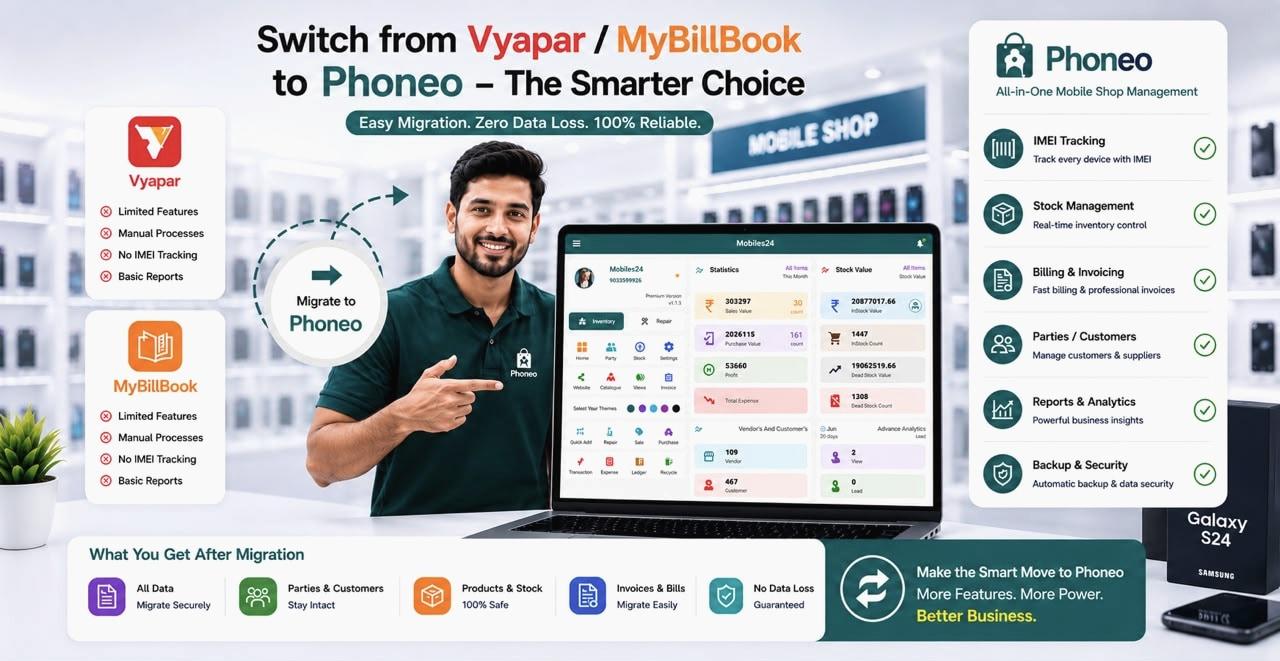
Yes, you can move from Vyapar, myBillBook, KhataBook or Excel to Phoneo Seller CRM — and you do it yourself, in a few minutes, without re-typing your inventory by hand.
This is a self-serve move. You log in to your current software, export your stock list, and import it into Phoneo using AI-powered bulk upload, which reads Excel, CSV, PDF and even photos of purchase bills. Phoneo's support team can guide you through it on WhatsApp, but you stay in control of your own data throughout.
One thing to plan for, because most guides skip it: only your inventory comes across. Customer khata, supplier ledger and past invoices stay in your existing app — in Phoneo those start fresh from your first bill. Nothing is deleted from your old software, so your history stays safe where it is.
Quick answer: is switching software risky?
No — as long as you know what moves and what doesn't. You export your stock from your current software and import it into Phoneo yourself with AI bulk upload, which reads Excel, CSV, PDF or bill photos in minutes. Inventory is the part that transfers. Customer balances, supplier ledger and past invoices don't import — they stay in your old app, which you keep for reference. Most shops finish the upload and carry on billing the same day.
Why mobile shop owners switch from Vyapar, myBillBook, and KhataBook
Choosing software is one of the most important decisions for a mobile retailer. Many shop owners start with general billing or accounting software because it's easy to find and simple to use.
As the business grows, the gap shows up in the details. A mobile shop's software has to handle:
- IMEI-wise inventory management
- Second-hand phone and used phone inventory tracking
- Repair job management
- Customer ID proof and party ID proof storage
- GST and non-GST billing with the IMEI printed on the invoice
- Staff permissions and warranty tracking
- Mobile-specific reports
General accounting apps focus on billing and bookkeeping, but they aren't built around the daily workflow of a mobile phone shop — that's why retailers eventually look for software designed specifically for their business.
The biggest concern: "Will I lose my data?"
Fear is the main reason shop owners delay switching software. Common worries include losing invoices, customer records, or stock, and having to close the shop during the move.
These concerns are understandable — business data represents years of hard work. The honest answer is that nothing gets deleted: your existing software keeps everything it already has, and you simply copy your stock list across. The part that would genuinely take days by hand — re-entering hundreds of handsets — is what AI bulk upload removes.
How to move your shop to Phoneo
Moving is something you do yourself, in five short steps. Nobody needs access to your accounts, and the only step that used to be slow — entering stock — is handled by bulk upload.
Step 1 — Create your Phoneo account
Getting started takes only a few minutes. After registering through mobile verification, your account is ready to use — no installation or technical setup required.
Step 2 — Export your stock from your current app
Log in to Vyapar, myBillBook, KhataBook, Excel or whatever you use today and export your item and stock list — product names, models, quantities, purchase and selling prices, and IMEI numbers where your software stores them. Excel, CSV or PDF all work. You do this from your own account; Phoneo never asks for your login to another app.
Step 3 — Import your stock with AI bulk upload
Open bulk upload in Phoneo and drop in the file you exported. The AI reads Excel, CSV, PDF documents, supplier invoices and photos of purchase bills, pulls out the product details, and prepares them for you to check. This is the step that replaces days of manual typing. If you get stuck, Phoneo's support team can walk you through it on WhatsApp — but you run the upload from your own account.
Step 4 — Verify your inventory
Before you confirm the import, review what the AI has read — product names, IMEI numbers, purchase and selling prices, available stock, categories and variants. Fixing something here takes seconds; fixing it after you've started billing takes much longer.
Step 5 — Start running your shop
Once your stock is in, start billing straight away — GST and non-GST invoices, IMEI-wise inventory, repairs and reports are all ready to use. Customers, suppliers and khata build up from your first bill onward, and you can add your regular parties manually as you go. Most shops are billing the same day they upload.
AI bulk upload makes migration much faster
Large inventories are often the biggest obstacle during a software migration — entering hundreds of mobile phones manually is time-consuming and error-prone.
Phoneo simplifies this with AI-powered bulk stock upload. Instead of typing each product one by one, retailers can upload inventory using Excel files, CSV files, PDF documents, supplier invoices, or purchase bills. The AI automatically extracts product information and prepares inventory for review before import.
For businesses dealing with hundreds of smartphones and accessories, AI-assisted uploads can save many hours of manual data entry.
What moves across — and what doesn't
This is the part most switching guides gloss over, so be clear about it before you pick your switch date.
Moves across — your inventory
- Mobile phones, accessories, categories, brands and models
- Stock quantities, purchase prices and selling prices
- IMEI records, where your current software stores them
- Uploaded by you through AI bulk upload from Excel, CSV, PDF or bill photos
Doesn't move — customers and khata
- Customer names, contact numbers and purchase history
- Outstanding customer balances (udhari)
- Khata builds up in Phoneo from your first bill; add regular customers manually as they come in
Doesn't move — suppliers and ledger
- Supplier and vendor details
- Purchase history and payment records
- Supplier ledger starts fresh in Phoneo
Doesn't move — past invoices
- Old GST and non-GST invoices stay in your existing software
- Keep that app or its exports for historical and GST reference
- Every bill you raise from your switch date onward lives in Phoneo
None of this is deleted from your current software — your history stays exactly where it is, and Phoneo starts clean from the day you switch. For most shops the stock list is the painful part to re-enter by hand, and that is precisely the part bulk upload takes off your plate.
Will you lose data or face downtime during migration?
You won't lose anything, because nothing is removed from your current software — you're copying your stock list over, not handing your data away. Keep your old app installed until you're comfortable.
Many retailers assume they need to stop billing for a day or two. In reality the stock upload takes minutes, not days. Once your inventory is uploaded and verified you can immediately create GST and non-GST invoices, manage IMEI-wise inventory, record purchases and sales, track customer khata, manage supplier payments and handle repair jobs — with khata and ledger building up from your first Phoneo bill.
Why mobile shop owners prefer switching to Phoneo
Every software has its strengths, but mobile retailers usually look for features built specifically for their industry. Phoneo Seller CRM combines multiple business operations into one platform instead of requiring different apps for different tasks.
Built specifically for mobile retail
Unlike general accounting software, Phoneo is developed exclusively for mobile phone businesses. Every feature is designed around the daily workflow of mobile retailers.
IMEI-based inventory management
Every smartphone is tracked using its unique IMEI number, reducing duplicate entries, improving stock accuracy, and simplifying inventory audits.
GST & Non-GST billing
Generate professional invoices within seconds — whether your customer needs a GST invoice or a Non-GST bill, Phoneo supports both.
Repair management
Manage job cards, repair status, technician assignments, and customer history from the same dashboard as billing and inventory.
Customer khata & supplier ledger
Keep complete records of outstanding customer balances, supplier payments, and purchase and payment history — making accounting far more organized.
Staff management
Create individual accounts for employees and assign role-based permissions, improving accountability while protecting sensitive business data.
Cloud backup
Business records stay securely stored in the cloud, protecting inventory, invoices, customer records, and reports from accidental data loss.
Best practices before switching: migration checklist
Follow this checklist before moving to Phoneo Seller CRM to make your migration as smooth as possible.
- Take a backup of your existing software data
- Export your item and stock list as Excel, CSV or PDF
- Note down your customers' outstanding balances — these don't import
- Keep your old GST invoice records accessible for reference
- Clean up duplicate or dead products before you upload
- Verify IMEI records wherever applicable
- Pick a switch date and raise every new bill in Phoneo from that day
Following these simple steps makes the upload faster and keeps your first week on Phoneo clean.
Common mistakes to avoid during software migration
Many businesses make avoidable mistakes while changing software.
1. Migrating old or incorrect data
Remove duplicate products, inactive customers, and outdated records before migration. Clean data leads to a cleaner system.
2. Skipping inventory verification
Always verify stock quantities and IMEI numbers after migration. Even a quick review helps catch inconsistencies before daily operations begin.
3. Ignoring staff training
Introducing new software without training employees slows adoption. Spend a short amount of time helping staff understand billing, inventory, and daily workflows.
4. Continuing manual registers
Some businesses keep maintaining paper registers "just in case," which creates duplicate work and mismatched records. Using one centralized system keeps your business organized.
Key takeaways
- You move your own data — export your stock from your current app, then import it into Phoneo yourself.
- Only inventory comes across. Customer khata, supplier ledger and past invoices stay in your old software.
- AI bulk upload reads Excel, CSV, PDF and bill photos, so you don't re-type hundreds of handsets.
- Nothing is deleted from your existing software, so your history stays safe where it is.
- Phoneo's support team can guide you through the upload, but you run it from your own account.
- Most shops upload their stock and start billing the same day.
Conclusion
Switching software doesn't have to be complicated. The biggest challenge is usually the fear of losing data or spending days entering inventory manually.
AI-powered bulk stock upload removes the slow part, and knowing up front that khata and old invoices stay behind means there are no surprises in week one. That combination is what makes moving from Vyapar, myBillBook, KhataBook or Excel manageable without disrupting your shop.
If you're looking for software built specifically for mobile retailers, Phoneo brings inventory, billing, repairs, customer records, staff, and reports together on one platform.
Start your move to Phoneo today
Join 4,300+ mobile shop owners across India who use Phoneo Seller CRM to manage their business more efficiently.
- Self-serve stock import at no extra cost
- AI-powered bulk stock upload
- IMEI-based inventory management
- GST & Non-GST billing
- Customer khata and supplier ledger
- Repair management and staff permissions
- Secure cloud backup
Start your 7-day free trial today and experience a seamless move to mobile shop software built specifically for your business.
Frequently asked questions
Can I switch from Vyapar to Phoneo without losing my data?
Yes — nothing is deleted from Vyapar. You export your stock list from Vyapar yourself and import it into Phoneo with AI bulk upload. Your inventory moves across; customer khata, supplier ledger and past invoices stay in Vyapar, so keep that app for historical reference.
Does Phoneo migrate data from myBillBook?
Phoneo does not run the migration for you — you export your stock from myBillBook and import it into Phoneo using AI bulk upload, which accepts Excel, CSV and PDF exports. Phoneo's support team can guide you through the upload if you need help.
Can I move my KhataBook records to Phoneo?
Customer and ledger records do not import into Phoneo. Bulk upload covers inventory only, so your khata and balances start fresh in Phoneo from your first bill. Note your outstanding balances before you switch, and keep KhataBook for the older history.
How long does the migration process take?
It depends on the size of your stock file, but the upload itself usually takes minutes rather than hours. Most mobile shops upload their inventory and begin billing on Phoneo the same day.
Will my shop remain closed during migration?
No. You keep billing in your existing software right up to your switch date, upload your stock to Phoneo, and start billing there. Your old app stays installed, so there is no gap in service.
What types of files can I upload?
Phoneo supports inventory import using Excel, CSV, PDF documents, and supplier invoices through AI-powered bulk upload.
Does Phoneo support IMEI-based inventory after migration?
Yes. Phoneo tracks every handset using its IMEI number, making inventory management much more accurate. If your current software stores IMEI numbers, include them in your export so they come across with the upload.
Is AI bulk upload included?
Yes. Bulk Upload is included from the Silver plan (₹99/month) upward, and imports inventory from bills, PDFs, Excel files and CSV documents so you don't type products one by one.
Can multiple employees use Phoneo after migration?
Yes. Phoneo supports multiple staff accounts with customizable role-based permissions.
Why should mobile shops choose Phoneo over generic billing software?
Phoneo is built specifically for mobile retailers and includes IMEI tracking, repair management, customer khata, supplier ledger, GST billing, cloud backup, staff management, and AI-powered inventory upload in one platform.
Run your mobile shop on Phoneo
4,300+ mobile shops already manage staff, billing, stock, and khata in one place. Give every staff member their own login, set section-wise permissions, and calculate salary split-wise — without a single dispute.
Start free — no credit card needed.
See the full Phoneo feature list or pricing from ₹99/month.