

AI Bulk Stock Upload for Mobile Shops: Upload Inventory in Seconds Without Manual Work
By Phoneo | Inventory Management | May 4, 2026

Quick answer: Phoneo's AI bulk stock upload lets you add hundreds of phones to your inventory in seconds by importing an Excel, PDF, CSV or supplier bill. The AI reads the file, formats it automatically, and prepares your stock for review — no manual one-by-one entry.
Key takeaways
- Upload inventory from Excel, PDF, CSV or a supplier bill in seconds.
- Phoneo AI reads and formats the file automatically — no manual formatting.
- Add hundreds of phones at once instead of typing each one.
- Ideal for new shops setting up or migrating stock quickly.
Introduction: The Problem Every Mobile Shop Owner Knows Too Well
You just received a new stock shipment. 200 new phones. 150 accessories. Dozens of models, prices, and quantities — all sitting in an Excel sheet your supplier sent you.
Now what?
If you're like most mobile shop owners in India, you spend the next 2–3 hours manually typing each product into your system. One by one. Name, price, quantity, model — repeated hundreds of times. And somewhere in between, a typo happens. A price is entered wrong. A product goes missing. A customer asks for a phone you have but can't find in your system.
Sound familiar?
This is the daily reality for thousands of mobile shop owners — and it is completely avoidable.
Phoneo's AI Bulk Stock Upload was built to end this problem once and for all. In this blog, we'll show you exactly how it works, why it's unlike anything else in the market, and how it can save you hours every single week.
What is AI Bulk Stock Upload?
AI Bulk Stock Upload is Phoneo's most powerful inventory feature. It allows mobile shop owners to upload their entire stock — hundreds of products — in one single step, without any manual data entry.
Here's what makes it truly different:
You don't need to prepare a special file. You don't need to follow any format. You don't need to rename columns or restructure your data.
You just upload whatever file you already have — and Phoneo's AI does the rest.
Whether it's an Excel sheet from your distributor, a PDF price list, or a Google Sheets export — Phoneo reads it, understands it, and converts it into the correct inventory format automatically.
No editing. No reformatting. No headache.
Why Manual Stock Entry is Killing Your Productivity

Before we go further, let's understand the real cost of manual stock entry.
Time Lost Every Week
The average mobile shop owner spends 8–12 hours per week on inventory-related tasks. A large portion of that is manual data entry — typing product names, prices, IMEI numbers, quantities, and specifications one by one.
That's time that could be spent with customers, growing your business, or simply going home earlier.
Errors That Cost You Money
Manual entry means human error. A wrong price entered could mean you sell a product below cost. A missing product in your system means a lost sale. These small mistakes add up to big losses over time.
New Stock Chaos
Every time new stock arrives, the cycle starts again. New file, new format, new hours of work. If your distributor sends you an updated price list in a different format, you have to start over.
AI Bulk Stock Upload eliminates all of this entirely.
How Phoneo's AI Bulk Stock Upload Works
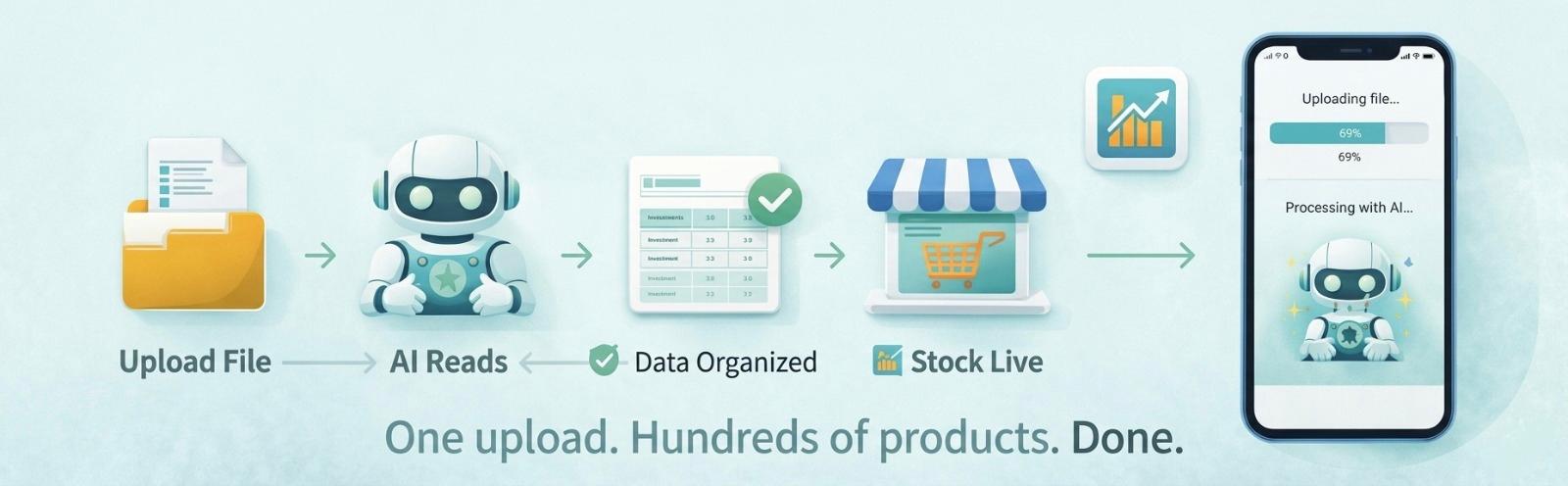
The process is simple. Here's exactly what happens when you use it:
Step 1 — Prepare Your File (Or Don't)
You already have your stock data somewhere. Maybe it's:
- An Excel sheet from your distributor
- A PDF price catalogue
- A Google Sheets file you maintain yourself
- Any other file containing your stock details
You don't need to change anything in it. Just save it as-is.
Step 2 — Upload the File in Phoneo
Open Phoneo, go to the Bulk Stock Upload section, and upload your file. One click. That's it.
Step 3 — AI Reads and Understands Your Data
This is where Phoneo's AI goes to work. It:
- Reads every row and column in your file
- Identifies product names, prices, quantities, and other details
- Understands the structure of your data, regardless of format
- Maps everything to the correct fields in your inventory system
Step 4 — Your Inventory is Ready
Within seconds, your entire stock is live in Phoneo. Hundreds of products — organized, searchable, and ready to sell.
No review step. No manual correction. No second-guessing.
What Makes Phoneo's AI Bulk Stock Upload Exclusive
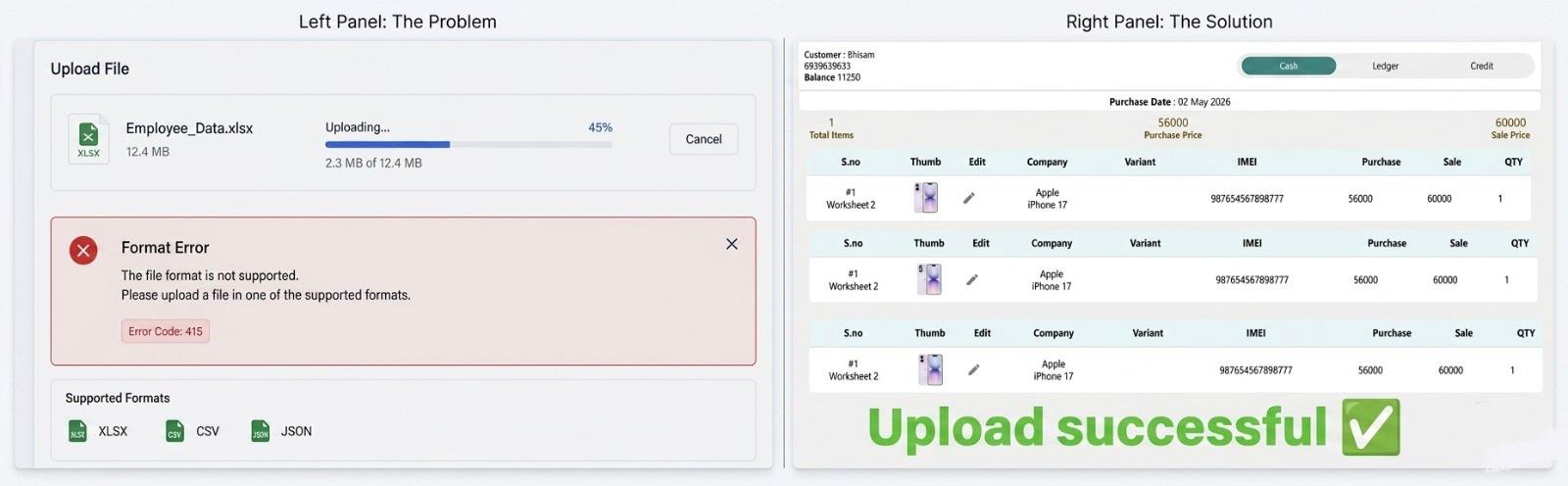
Let's be direct: no other mobile shop software in India does this.
Most inventory tools give you a fixed template. If your file doesn't match their exact column names and format, the upload fails. You then spend hours reformatting your data to match their requirements — which completely defeats the purpose.
Phoneo has flipped this model entirely.
Instead of forcing your data to match the system, Phoneo's AI adapts to your data.
This is a fundamental difference — and it's why Phoneo's AI Bulk Stock Upload is not just a feature upgrade. It is a completely new standard for inventory management.
Feature Comparison
| Feature | Traditional Software | Phoneo AI |
|---|---|---|
| Fixed Template Required | ✅ Yes | ❌ No |
| Fails on Format Mismatch | ✅ Often | ❌ Never |
| Supports Excel, PDF, Sheets | ❌ Limited | ✅ All Formats |
| Auto-Detects Product Data | ❌ No | ✅ Yes |
| Upload Time (200 Products) | 2–3 Hours | Under 60 Seconds |
| Technical Knowledge Required | ✅ Yes | ❌ Zero |
Key Benefits for Mobile Shop Owners
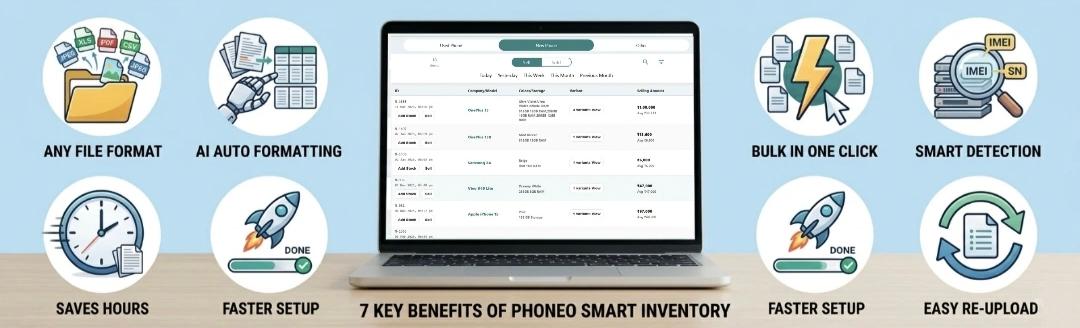
✅ Upload Any File Format
Excel, PDF, Google Sheets — whatever format your distributors use, Phoneo accepts it. No conversion, no reformatting.
✅ Add Hundreds of Products at Once
Instead of entering products one by one, upload your entire stock in a single action. 10 products or 1,000 products — the process is the same.
✅ Zero Manual Work
Phoneo AI handles all the heavy lifting. You upload the file, the AI processes everything. You don't touch a single field manually.
✅ Smart Data Detection
The AI automatically identifies product names, model numbers, prices, quantities, and other relevant details — even if your file has unusual column names or layouts.
✅ Faster Business Setup
Opening a new shop? Migrating from another software? AI Bulk Stock Upload means you can have your full inventory live in minutes, not days.
✅ Easy Re-Upload for Stock Updates
When new stock arrives or prices change, simply upload the new file. Phoneo handles the update. No complex steps. No confusion.
✅ Reduces Costly Errors
Because AI reads and processes the data systematically, common human errors — wrong prices, missing products, duplicate entries — are eliminated.
Real-World Scenarios: Who Benefits Most
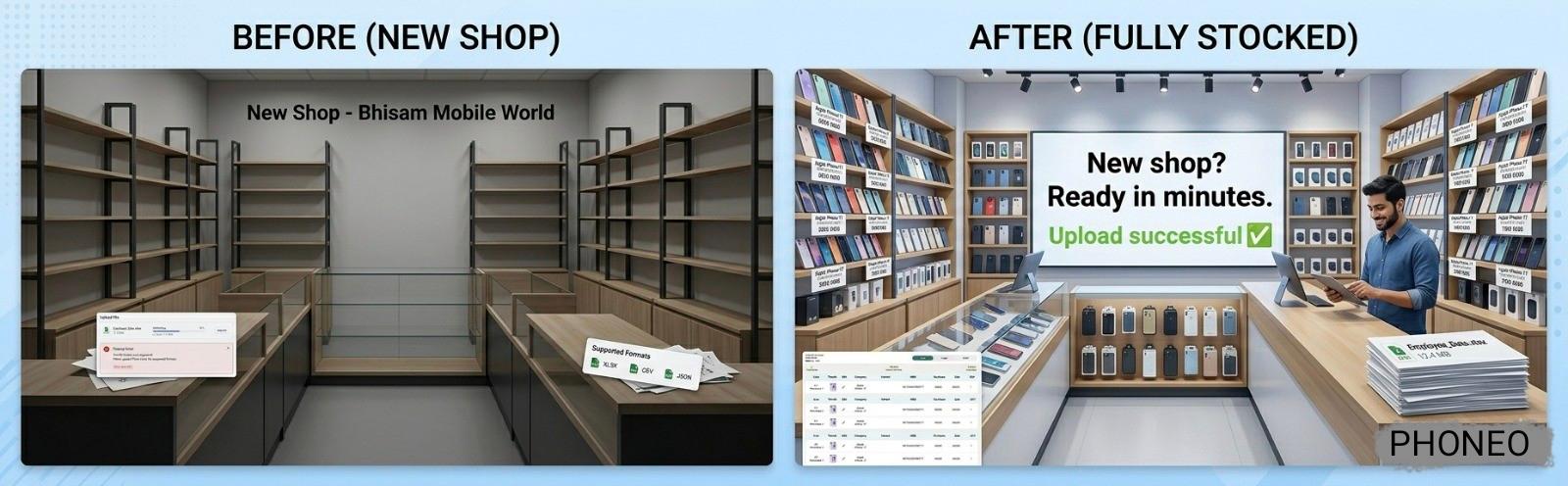
New Mobile Shop Owners
Starting a new shop is overwhelming. With AI Bulk Stock Upload, you can go from zero inventory to fully stocked system in minutes — giving you more time to focus on your store setup and customers.
Shops with Large Inventory
If you stock 300+ products across multiple brands and models, manual entry is simply not viable. AI Bulk Stock Upload makes large inventory management effortless.
Shops Migrating from Other Software
If you're switching to Phoneo from another platform, you can export your data from the old system and directly upload it to Phoneo — without any reformatting.
Seasonal Stock Updates
Festival season, new model launches, year-end sales — these moments bring huge new stock. AI Bulk Stock Upload ensures you're ready to sell the moment stock arrives.
Multi-Branch Mobile Shops
Managing inventory across multiple shop locations becomes significantly easier when you can bulk upload separate stock files for each branch in seconds.
The Bottom Line: Stop Entering. Start Selling.

Every hour you spend on manual data entry is an hour not spent with your customers, not growing your business, and not enjoying the work you built your shop for.
Phoneo's AI Bulk Stock Upload gives those hours back to you.
It's not just a faster way to upload stock. It's a smarter, more modern, and more powerful approach to inventory management — one that no other software in the market currently offers.
Upload any file. In any format. And have your entire inventory ready in seconds.
That's not an upgrade. That's a new standard.
Ready to Try AI Bulk Stock Upload?
If you're a mobile shop owner who's tired of manual stock entry, slow uploads, and format headaches — Phoneo was built for you.
👉 Upload your stock file now and let Phoneo AI do the rest.
Tags: AI Bulk Stock Upload, Mobile Shop Inventory, Inventory Management India, Phoneo Features, Stock Management Software, Bulk Product Upload, Mobile Shop Software India
Frequently Asked Questions
Q1. What file formats can I upload?
You can upload Excel files (.xlsx, .xls), PDFs, Google Sheets exports (.csv), and most common spreadsheet or document formats containing stock data.
Q2. Do I need to format my file before uploading?
No. Phoneo's AI reads and processes your file as-is. No formatting, no renaming of columns, no restructuring required.
Q3. How many products can I upload at once?
Phoneo supports bulk uploads of large inventories. Whether you have 50 products or 5,000, the system handles it in a single upload.
Q4. What data does Phoneo AI detect from my file?
Phoneo AI identifies product names, model numbers, prices, quantities, and other relevant stock details automatically.
Q5. What if my file has extra columns or irrelevant data?
The AI intelligently focuses on the relevant stock data and ignores extra or irrelevant columns. Your file doesn't need to be clean or perfectly organized.
Q6. Can I upload files to update existing stock?
Yes. You can re-upload a new file anytime to update stock quantities, prices, or add new products.
Q7. Is my stock data safe after uploading?
Absolutely. All data uploaded to Phoneo is securely processed and stored with complete privacy protection.
Q8. Is this feature available on mobile?
Yes. Phoneo is designed for mobile shop owners and the AI Bulk Stock Upload feature is fully accessible from your phone.
Have Questions or Ideas?
We love hearing from mobile shop owners. Quick answers below — and tell us what we should cover next.
📦 How often are blogs published?
Usually once every 10-14 days, focused on inventory, billing, finance, and sales playbooks.
💬 Can I request a tutorial?
Yes! Drop your idea — we might write about it next and credit you.