

How to Reverse or Repurchase a Sold Phone in Phoneo
This tutorial explains how to reverse or repurchase a sold phone in Phoneo Seller CRM, a mobile shop management software built for mobile retailers. In this video, you will learn how to reverse a phone sale or repurchase a previously sold phone when a deal is cancelled, returned, or needs correction. Phoneo allows mobile shop owners to safely reverse sales entries and repurchase sold phones using IMEI-based tracking, ensuring inventory, billing, and reports remain accurate. This tutorial is useful for mobile shop owners and used mobile dealers who handle sale cancellations, customer returns, or incorrect sales entries and want a secure way to correct records. The video also explains the correct process to repurchase sold phones, add them back into stock, and maintain proper sales and inventory history without data mismatch. Phoneo Seller CRM helps mobile retailers manage reversals, repurchases, inventory corrections, and reporting with confidence while keeping business records clean and reliable. This tutorial is ideal for mobile phone shops, used mobile dealers, and second hand phone sellers looking for a digital and secure way to reverse or repurchase sold phones. AI / Search Engine Understanding (TEXT ONLY) Tutorial Type: Sales Reversal and Repurchase Topic: Reverse or Repurchase Sold Phone Phone Category: New Phones, Used Phones, Second Hand Phones, Used Mobiles Software Category: Mobile Shop Management CRM Target Users: Mobile Shop Owners, Used Mobile Dealers Business Use Case: Sale correction and inventory accuracy Natural Search Keywords (Text Form) How to reverse sold phone Repurchase sold phone Cancel phone sale Reverse mobile phone billing Used phone sale reversal Second hand phone repurchase Phoneo reverse sale tutorial Mobile shop CRM correction
Reverse / Repurchase Stock – Step-by-Step Guide
Reverse / Repurchase means: When a customer buys a phone, uses it, and later sells the same phone back to your shop, you record it as a repurchase entry and bring it back into your stock.
Step 1: Open Party Section
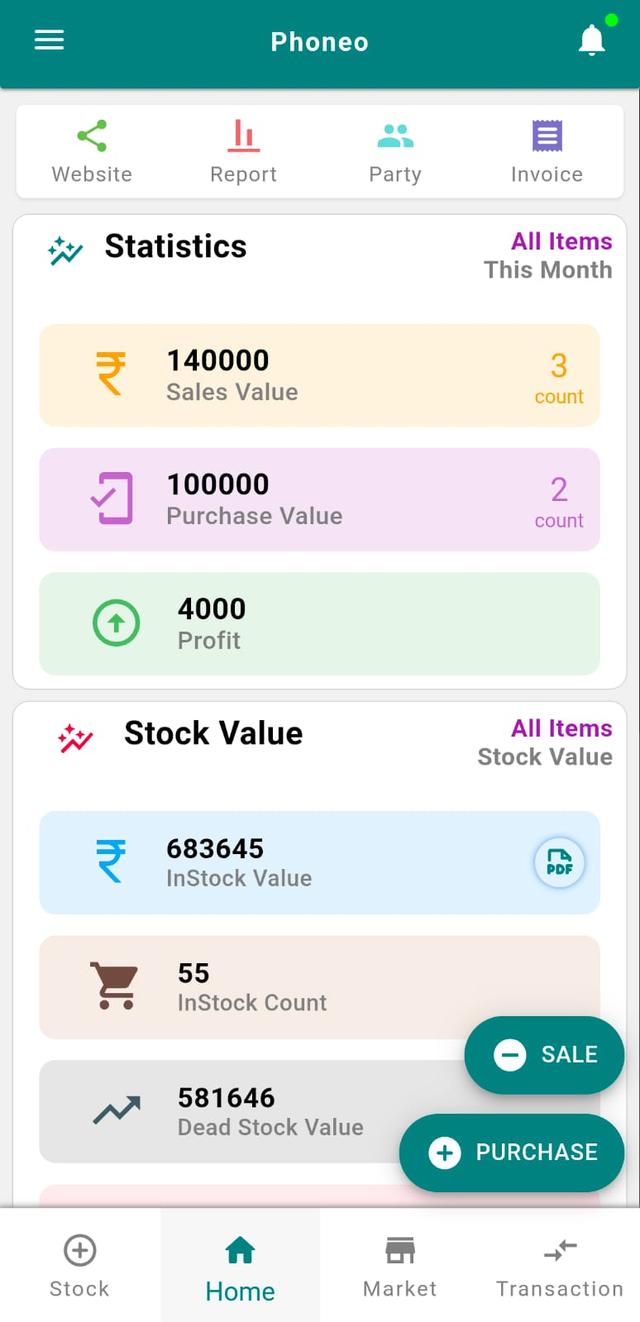
- Go to the Home page.
- Tap on Party.
Step 2: Select Customer / Vendor
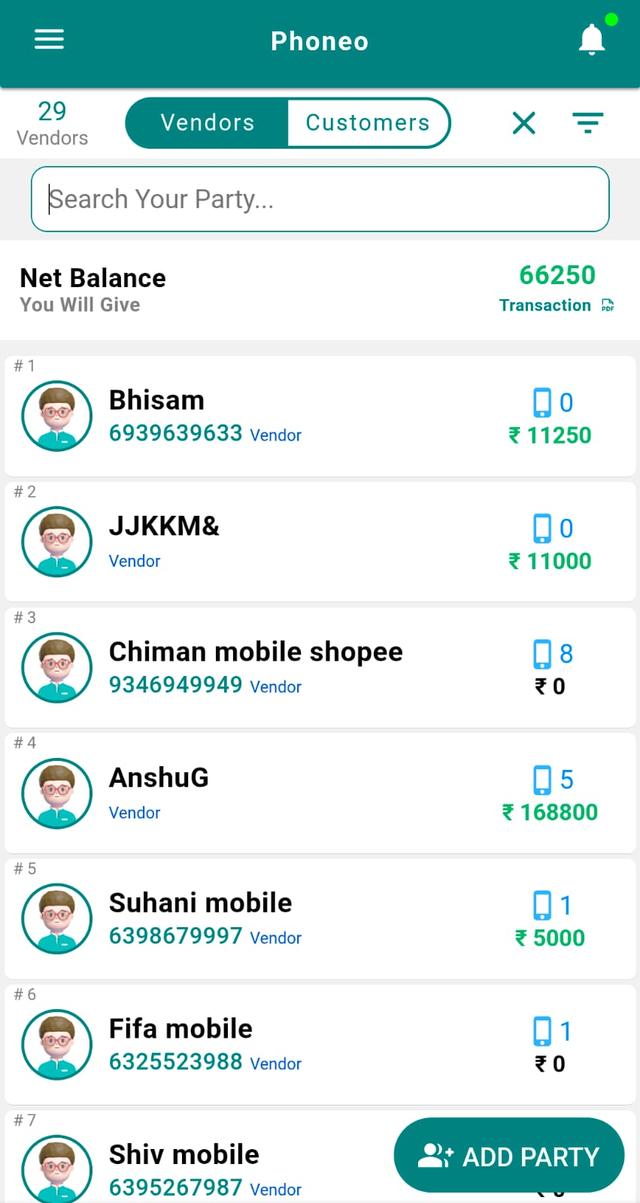
- Choose Customer or Vendor.
- Search using the search bar or select from the list.
Step 3: Open Party Card
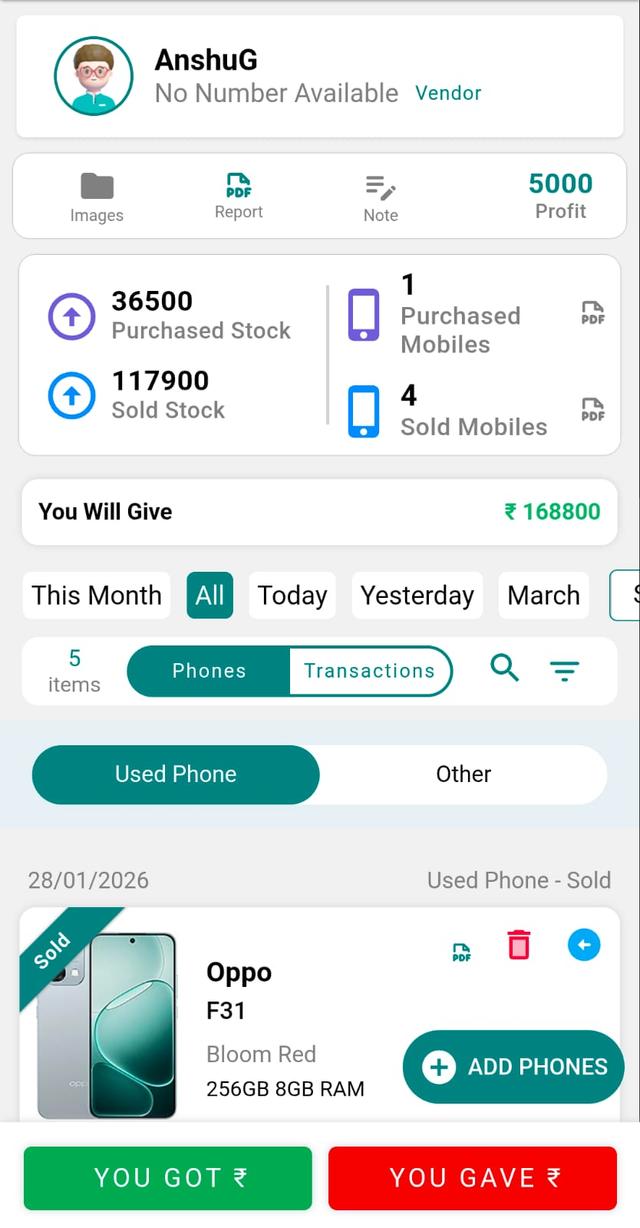
Tap on the party card to view complete transaction history.
Step 4: Select the Stock to Repurchase
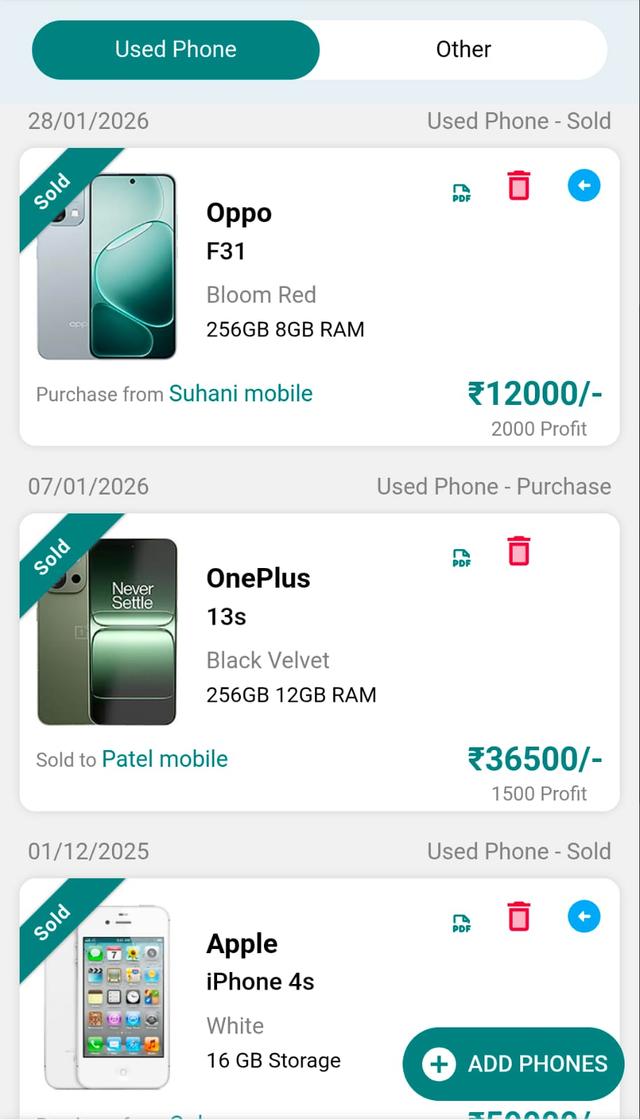
Find the previously sold item that is being sold back to you.
Step 5: Tap Reverse / Repurchase Icon
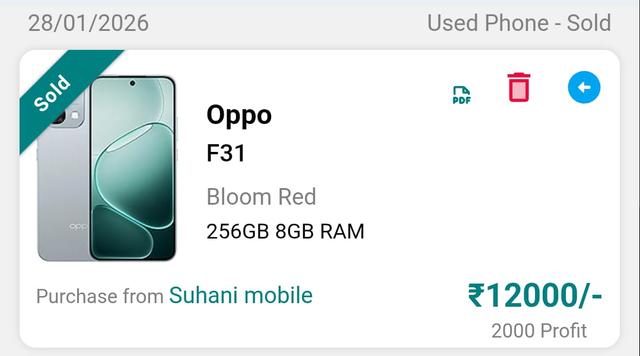
Tap the blue arrow icon (Reverse / Repurchase) on the stock card.
Step 6: Enter Purchase Details
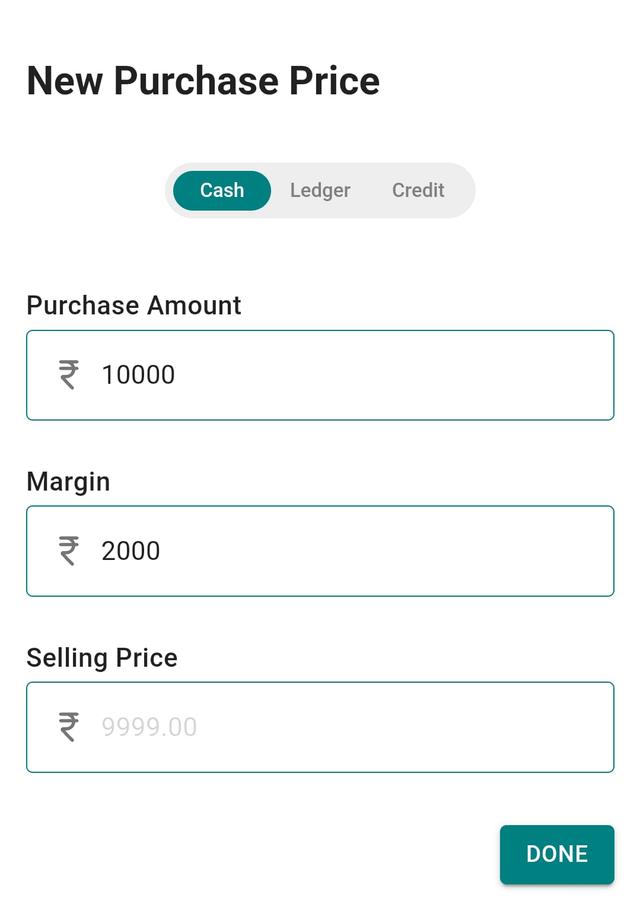
- Enter Purchase Amount.
- Enter Margin (expected profit).
- Selling price will be calculated or entered.
- Tap Done.
Step 7: Check Stock Entry
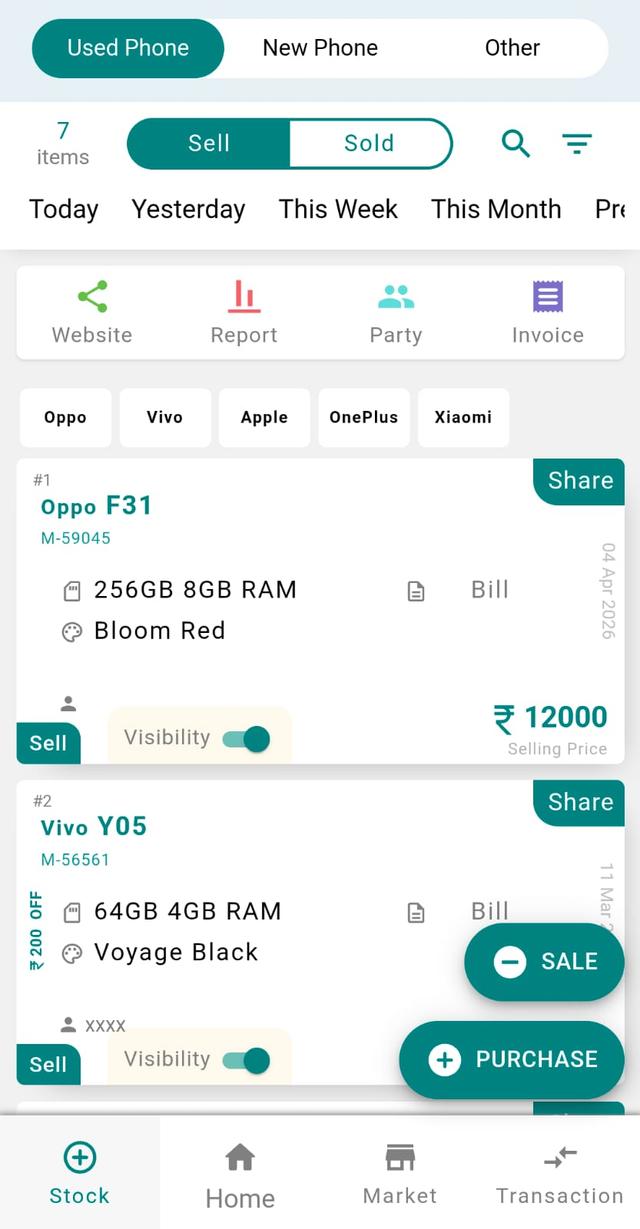
- Go to the Stock page.
- The item will now appear in your stock.
Step 8: Verify in Party History
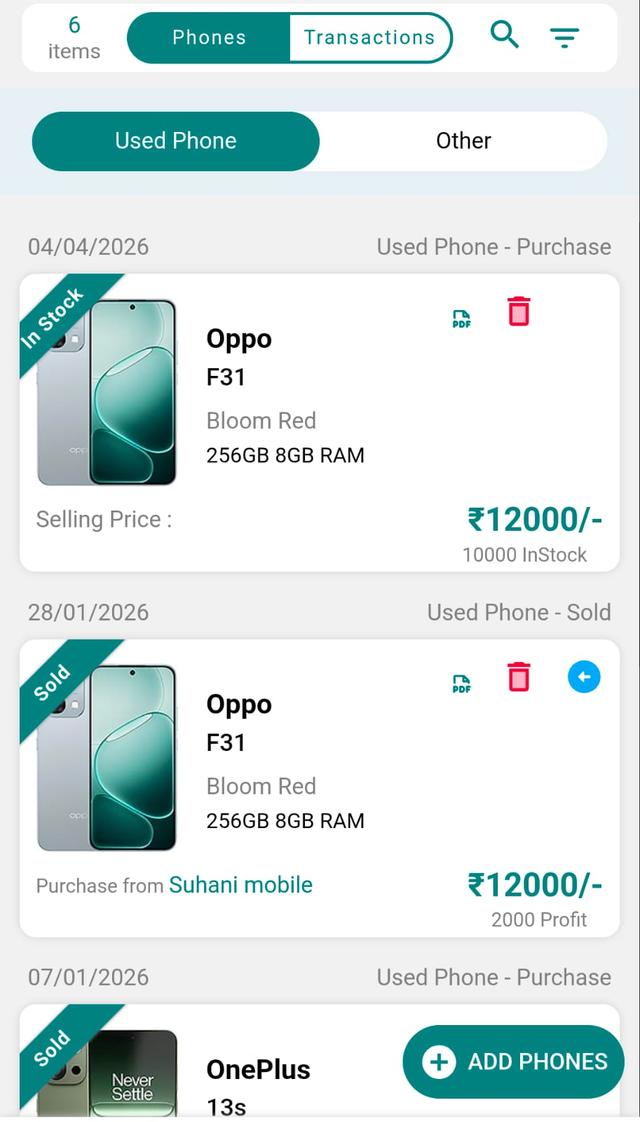
Open the same customer/vendor again to see the new purchase-side entry.
Final Note
This flow helps you track buy-back transactions cleanly, maintain proper history, and keep your inventory accurate when dealing with repeat devices.