

Monthly Sales Reports – Track & Download Guide
Use this section to analyze your business performance, track profit, and download reports anytime.
Step 1: Open Reports Section
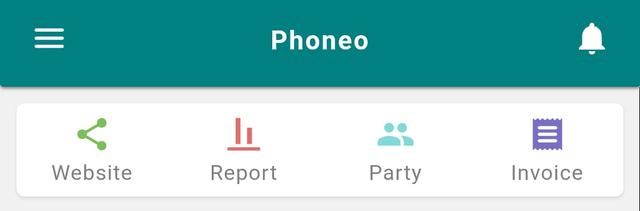
- Go to the Home page.
- Tap on the Reports icon.
- The Complete Report page will open.
Step 2: Select Stock Type

- Choose stock type from the top:
- All
- Used
- New
- Other
- Select based on the report you want to view.
Step 3: Choose Report Type

- Select report category:
- Total Report
- Stock Report
- Sold Report
Step 4: Select Time Range

- Choose duration:
- All Time
- Month-wise
Step 5: View Summary Report
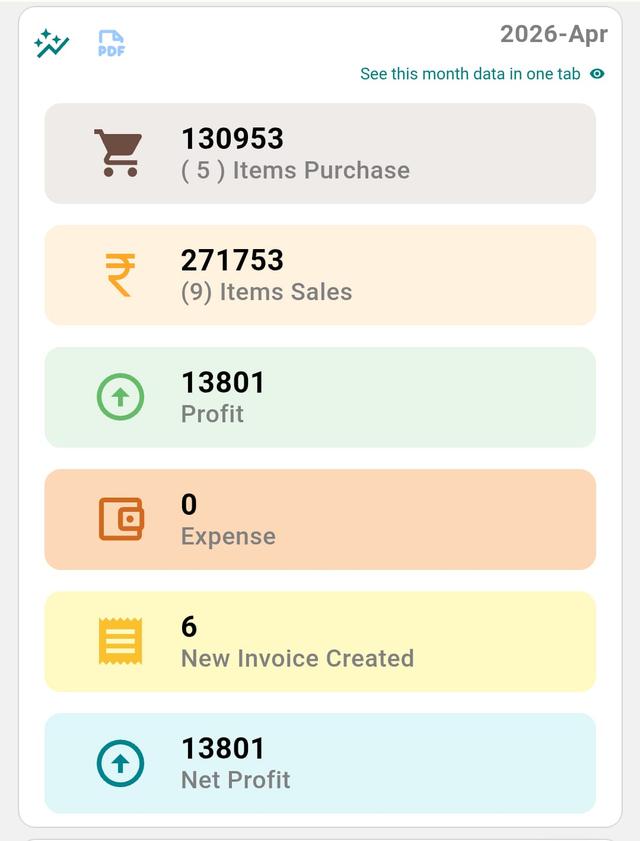
- You will see a complete summary including:
- Item Purchase
- Item Sales
- Profit
- Expense
- New Invoices Created
- Net Profit
Step 6: View Detailed Monthly Report
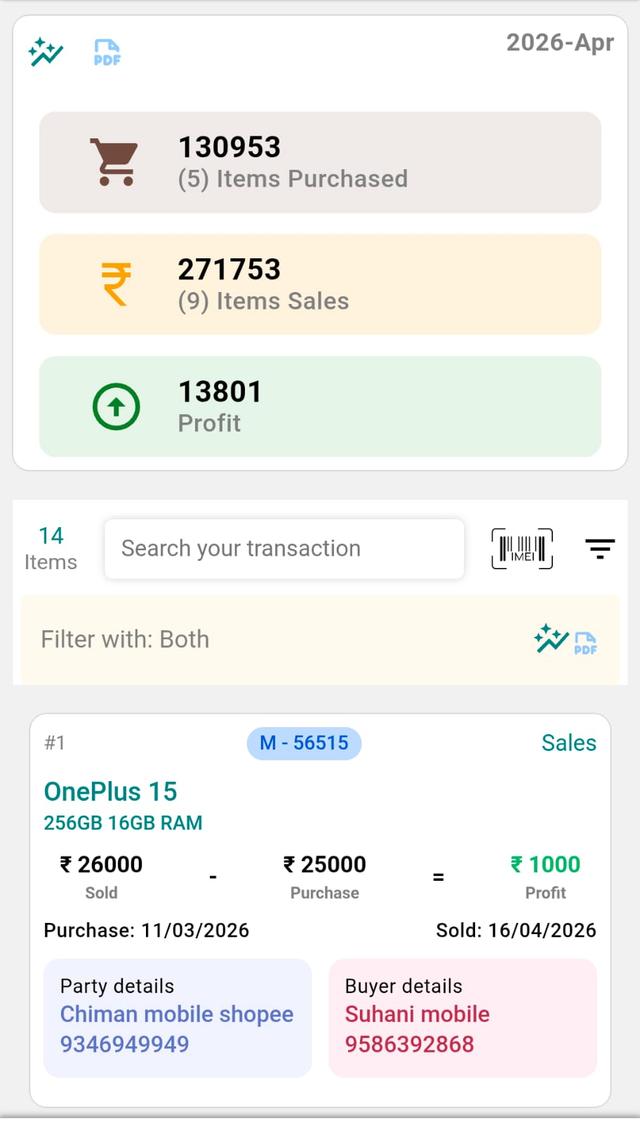
- Tap on any Month Card.
- You will see detailed data including:
- Item purchase & sale details
- Customer details
- Date-wise transactions
- Stock information
- Profit or Loss per item
Step 7: Apply Filters
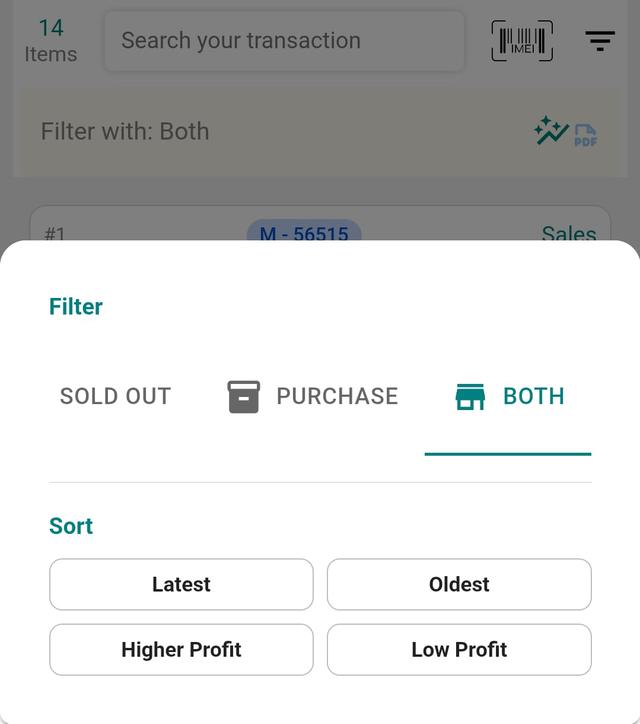
- Use filter options:
- Sold Stock
- Purchased Stock
- Both
- You can also sort by:
- Latest
- Oldest
- Higher Profit
- Lower Profit
Step 8: Download Report (PDF)
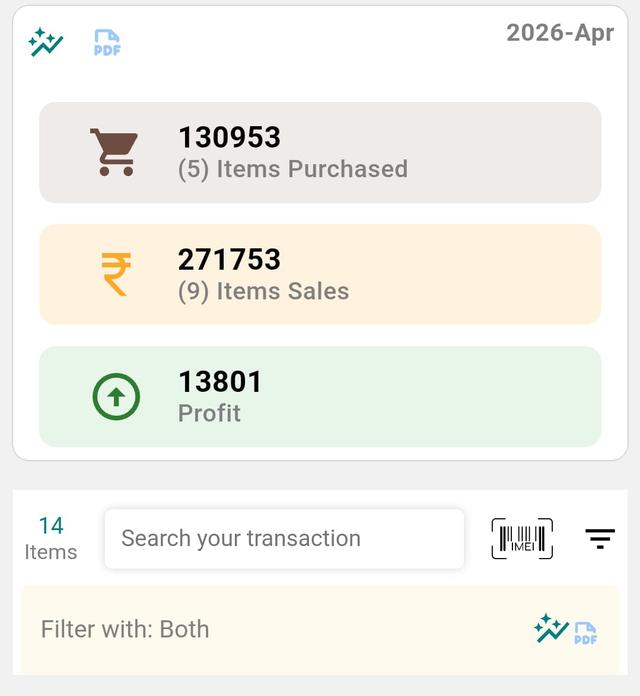
- Tap on the PDF button at the top.
- Your report will be downloaded in PDF format.
Daily & Monthly Sales Reports for Your Mobile Shop
A sales report turns your day's billing into a clear picture of how the shop is really doing. In Phoneo, every GST and non-GST invoice you create flows straight into the report, so your daily sales, monthly profit, expenses and net margin are calculated automatically — no manual register, no end-of-month guesswork. For a mobile shop juggling new phones, second-hand handsets, accessories and repair jobs, this is the difference between knowing your numbers and hoping they add up. Pull a daily report to check today's takings, or a month-wise report to compare growth, spot your best-selling models and catch slow-moving dead stock early.
Why it matters
- See real net profit after purchase cost and expenses, not just gross sales.
- Track IMEI-wise profit or loss on every phone you sell, new or used.
- Compare month-on-month performance to plan stock and festive-season buying.
- Keep clean GST records ready for your accountant and filing.
- Download a PDF report any time to share or store for your own records.
Related guides & features
- GST billing software for mobile shops
- IMEI-wise stock tracking
- Automated ledger & expense tracking
- Automated email reports
- All Phoneo tutorials
Want clearer reports for your shop? See Phoneo plans — start a 7-day free trial, or open the app at mobile.phoneo.in.
Final Note
Reports are not just numbers — they are your business mirror. Track wisely, analyze deeply, and let every report guide your next move toward growth.