

Edit & Customize Invoice – Step-by-Step Guide
Use this section to edit invoice details and customize how your bill looks.
Step 1: Open Invoice Settings
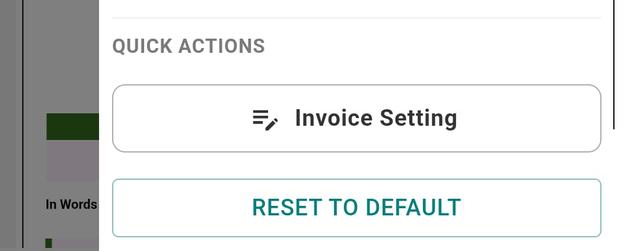
- Open the generated invoice.
- Tap the Settings icon (bottom-right corner).
Step 2: Edit Invoice Details
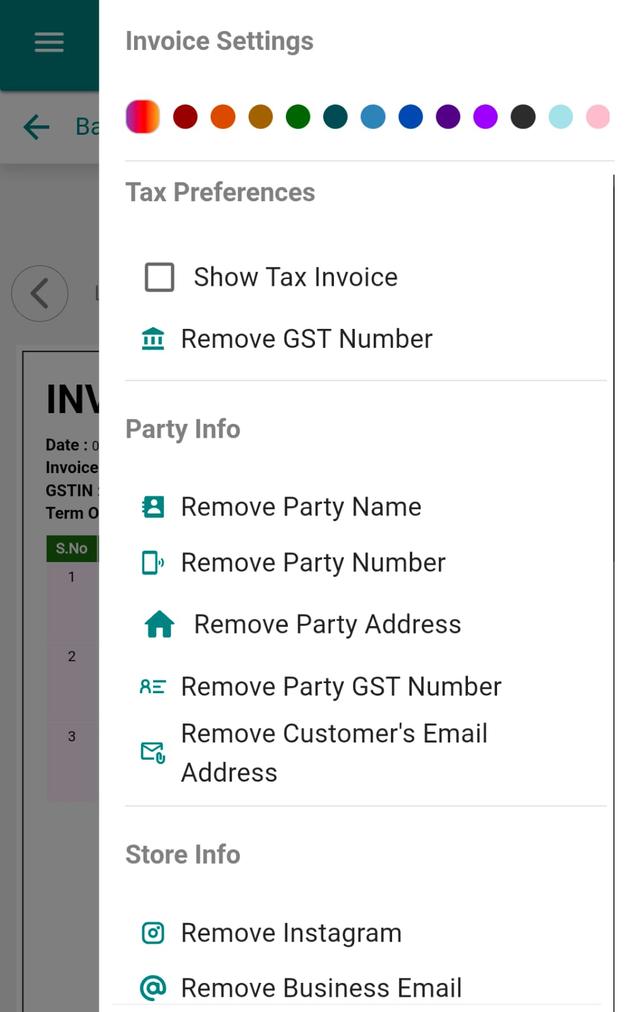
- Update Tax settings.
- Add or edit your GST number.
- Edit customer details (name, number, address, GST, email).
- Update store information.
- Modify item details.
- Add notes if needed.
Step 3: Customize Design
- Choose invoice design template.
- Enable or disable Store Logo.
- Enable or disable QR Code.
Step 4: Update Invoice Settings
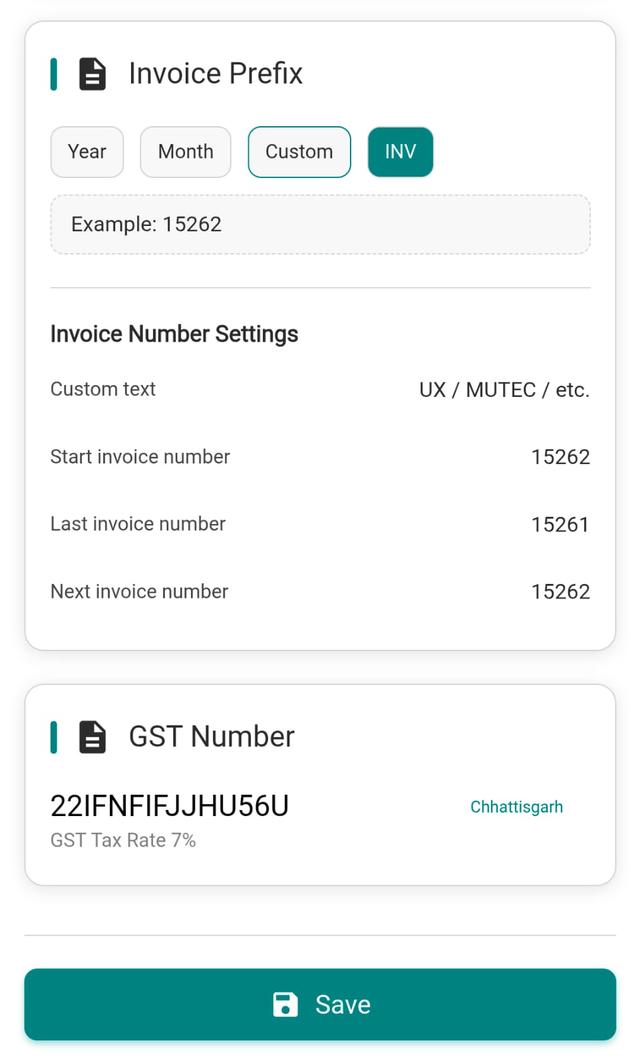
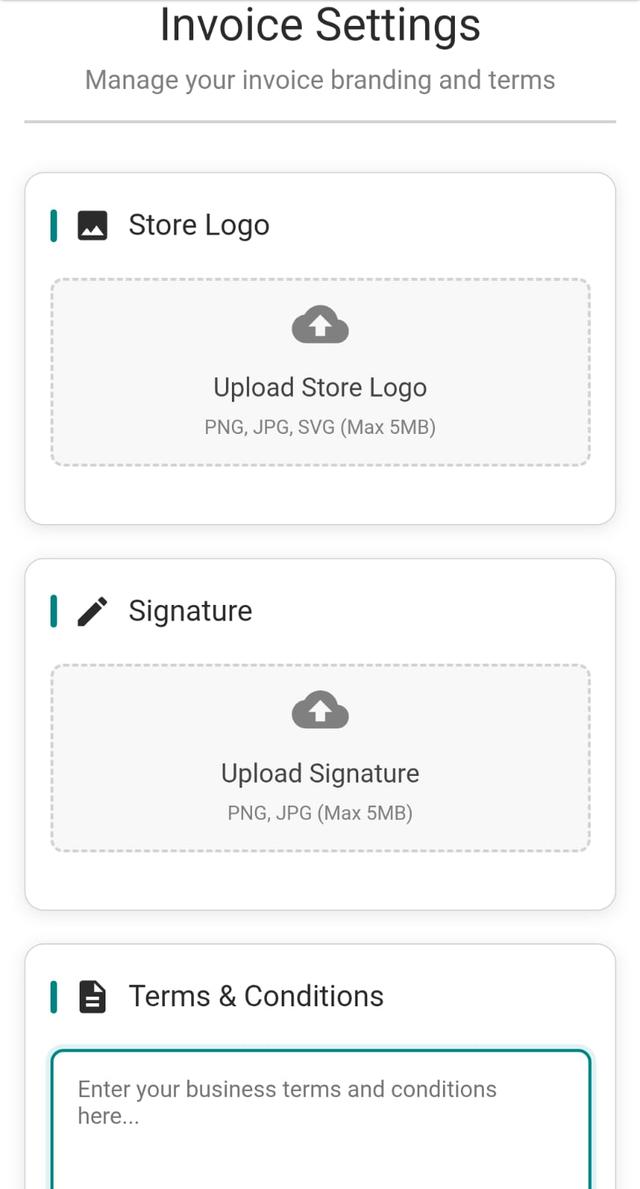
- Go to Invoice Settings.
- Update the following:
- Store Logo
- Tagline
- Terms & Conditions
- Invoice Number Format
- Your Shop’s GST Number
- Tap Save after making changes.
Step 5: Apply Changes
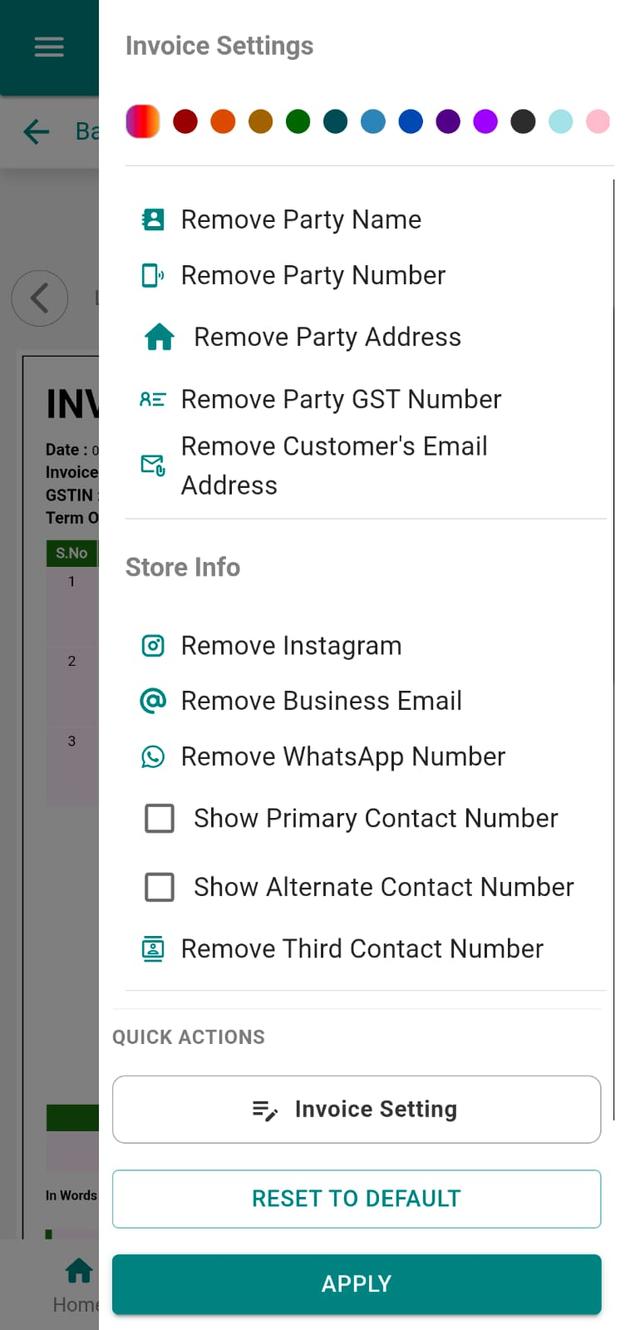
Tap Apply to reflect all changes instantly on your invoice.
Why Customise Your GST Invoice Format & Branding
For a mobile shop, the invoice is the last thing a customer sees before they walk out with a new handset, a repair, or accessories. Customising the GST invoice format and branding lets your bill carry your shop logo, tagline, terms & conditions, and the correct GST number, so every printed or WhatsApp-shared invoice looks professional and tax-ready. In Phoneo you can switch between GST and non-GST billing, pick a clean invoice template, and add an online store QR code — all without touching a designer or a separate tool. A well-branded invoice builds trust with walk-in customers and makes your shop easy to remember when they come back for their next phone or repair.
Tips for a Better Mobile-Shop Invoice
- Add your shop logo and a short tagline so the bill reflects your brand, not a blank template.
- Enter the correct GST number once in Invoice Settings to keep every GST bill compliant.
- Use a clear invoice number format so you can trace any sale, exchange, or repair later.
- Show IMEI and item details on phone bills to protect against warranty and return disputes.
- Enable the QR code to point customers to your online store for repeat orders.
Related Guides & Features
Explore more of what Phoneo does for mobile shops:
- GST billing software for mobile shops
- IMEI-wise stock tracking
- GST billing & invoice generator
- Digital storefront QR code
- More step-by-step Phoneo tutorials
Ready to brand your own invoices? See the Phoneo plans and start your 7-day free trial, or open the Phoneo app to customise your invoice now.
Final Note
Your invoice is not just a bill — it’s your brand identity in the customer’s hand. Make it clean. Make it clear. Make it yours.