

Return / Restock Sold Item – Step-by-Step Guide
Restock means: When a customer returns a purchased item, you add it back into your stock so it can be sold again.
Step 1: Open Stock Page
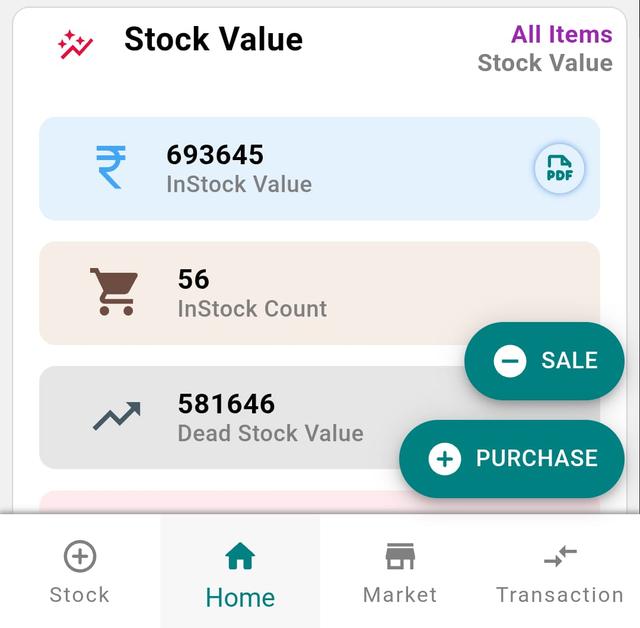
- Go to the Home page.
- Tap Stock.
Step 2: Select Stock Type
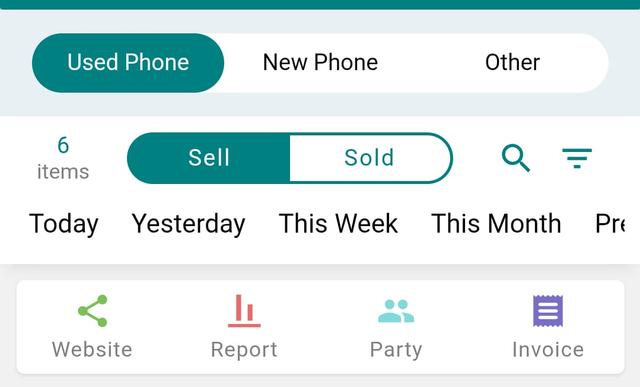
- Choose the type of item you want to restock:
- Used Phone
- New Phone
- Other Item / Accessories
Step 3: Open Sold Items
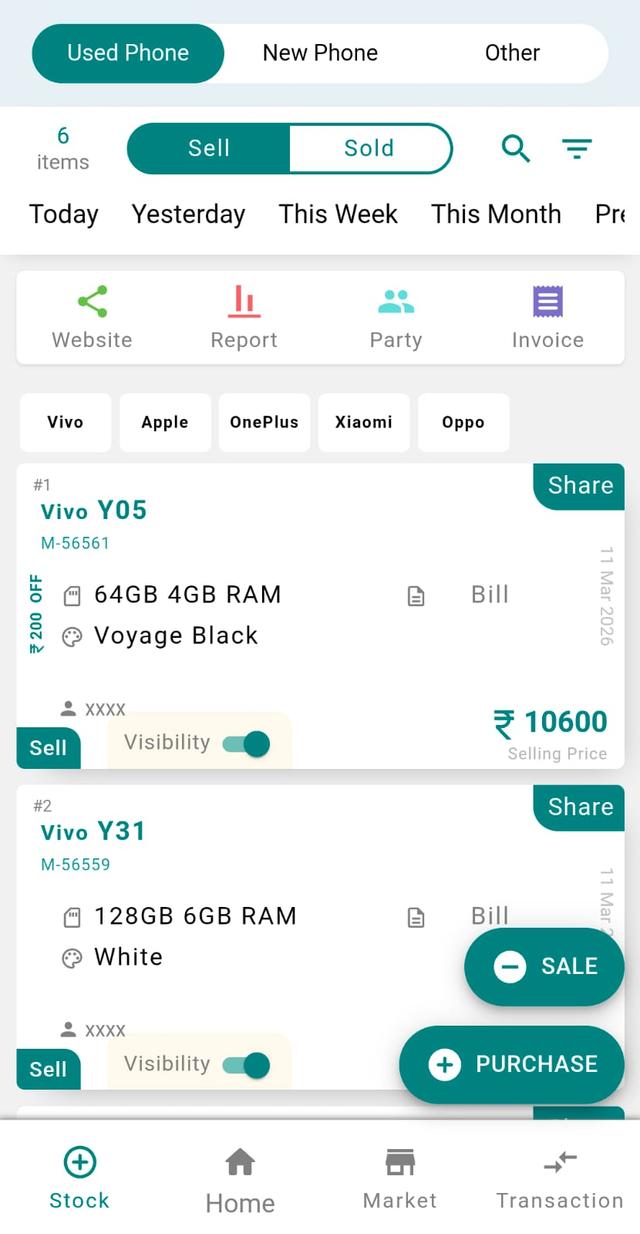
Tap the Sold tab to view all sold items.
Step 4: Select Item to Restock
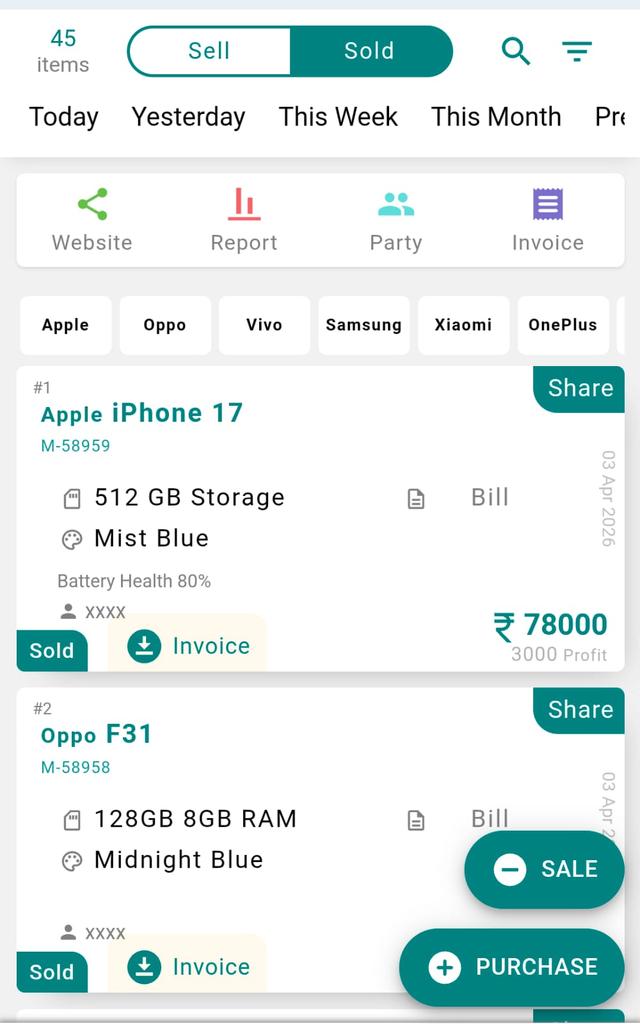
Select the item card you want to restock.
Step 5: Tap Restock Button
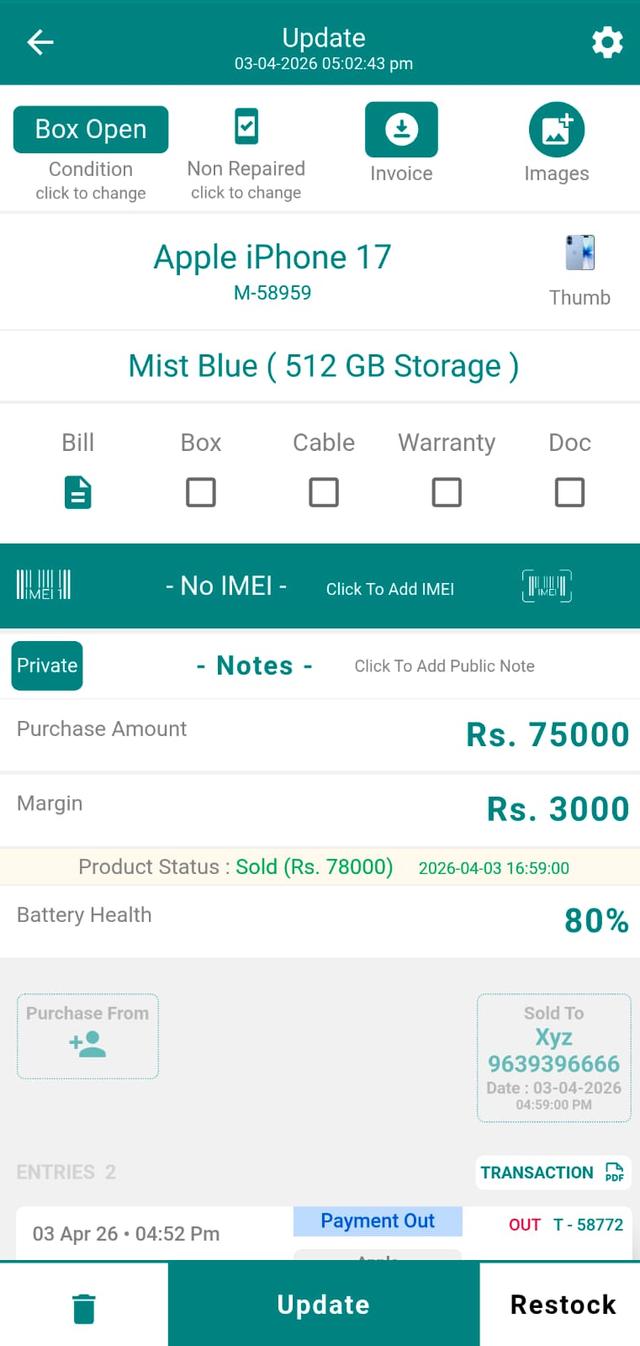
Tap the Restock button at the bottom of the screen.
Step 6: Confirm Restock
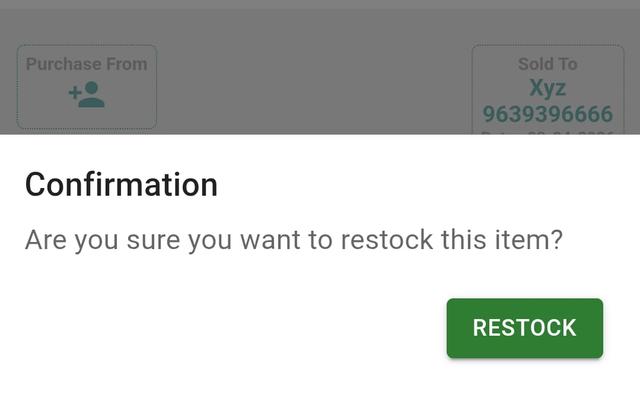
A confirmation popup will appear. Tap Restock to confirm.
Step 7: Item Added Back to Stock
- Your item is now successfully restocked.
- Go to the Stock page.
- Open the Sell / Available tab.
- You will find the item back in your inventory.
Restocking a Returned or Previously Sold Item
In a busy mobile shop, customers often return a phone or accessory within the return window, or a finalised sale gets cancelled before the device leaves the counter. The restock feature in Phoneo lets you push that returned or previously sold item straight back into your live inventory in a few taps, so the same handset, IMEI or accessory becomes available to sell again. This keeps your stock count, sales reports and IMEI history accurate instead of leaving a gap that has to be fixed manually later.
Why It Matters
- Keeps your inventory count correct so you never promise a phone that is already sold — or miss one that came back.
- Preserves the IMEI and stock history of used and new phones for clean audits and warranty checks.
- Prevents stock mismatch between your shop shelf and the Phoneo app, which saves time at month-end.
- Lets you re-sell a returned accessory or device immediately, instead of treating it as a loss.
- Restock returned items the same day so reports stay reliable for GST billing and dead-stock decisions.
Related Guides & Features
- IMEI-wise stock tracking — track every phone by its IMEI number.
- Smart inventory management for new, used and accessory stock.
- IMEI-based stock audit to verify your shelf against the app.
- Dead-stock clearance to move slow-selling returned items.
- All Phoneo tutorials for more step-by-step guides.
Want billing, IMEI stock and returns handled in one app built only for mobile shops? See Phoneo plans or open the Phoneo app and start your free trial.
Final Note
Restocking ensures your inventory stays accurate and up-to-date, especially when handling returns or canceled sales. It helps maintain clean records and avoids stock mismatch.