

Reverse / Repurchase Stock – Step-by-Step Guide
Reverse / Repurchase means: When a customer buys a phone, uses it, and later sells the same phone back to your shop, you record it as a repurchase entry and bring it back into your stock.
Step 1: Open Party Section
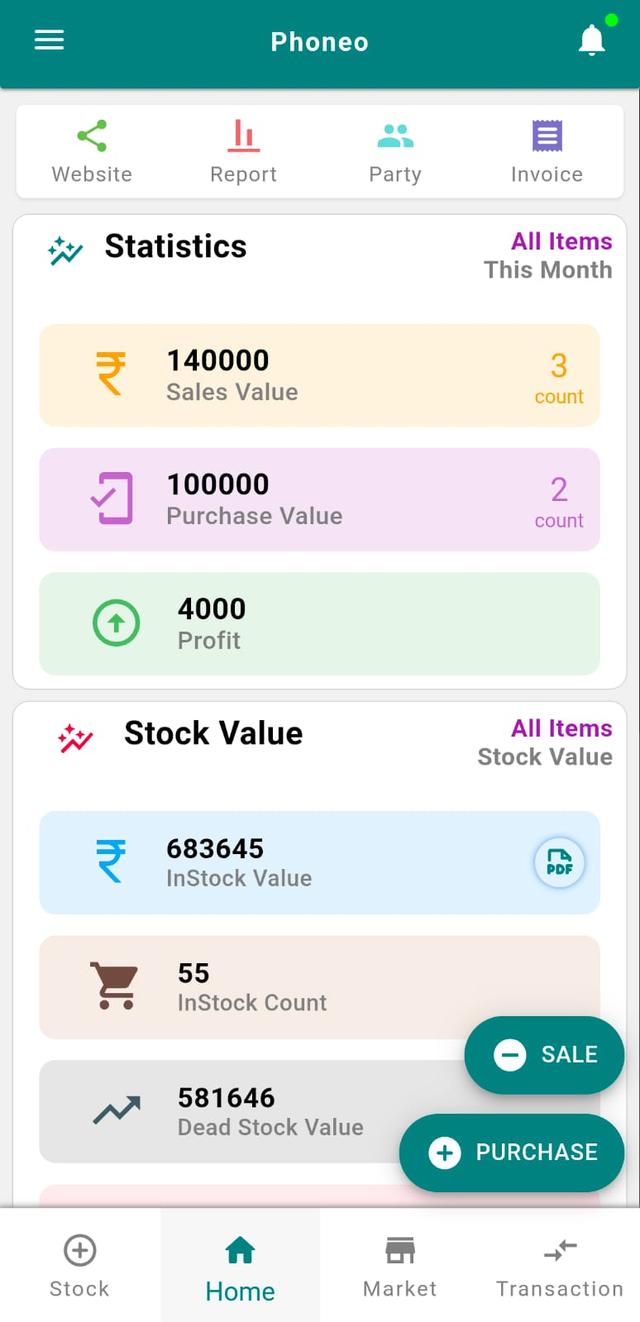
- Go to the Home page.
- Tap on Party.
Step 2: Select Customer / Vendor
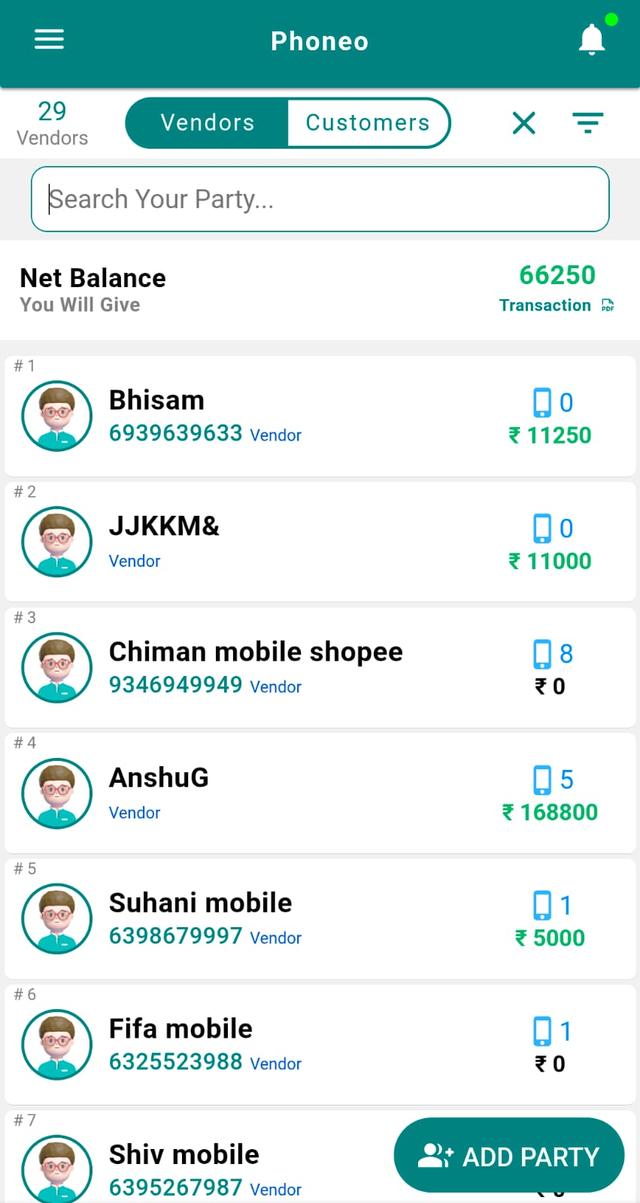
- Choose Customer or Vendor.
- Search using the search bar or select from the list.
Step 3: Open Party Card
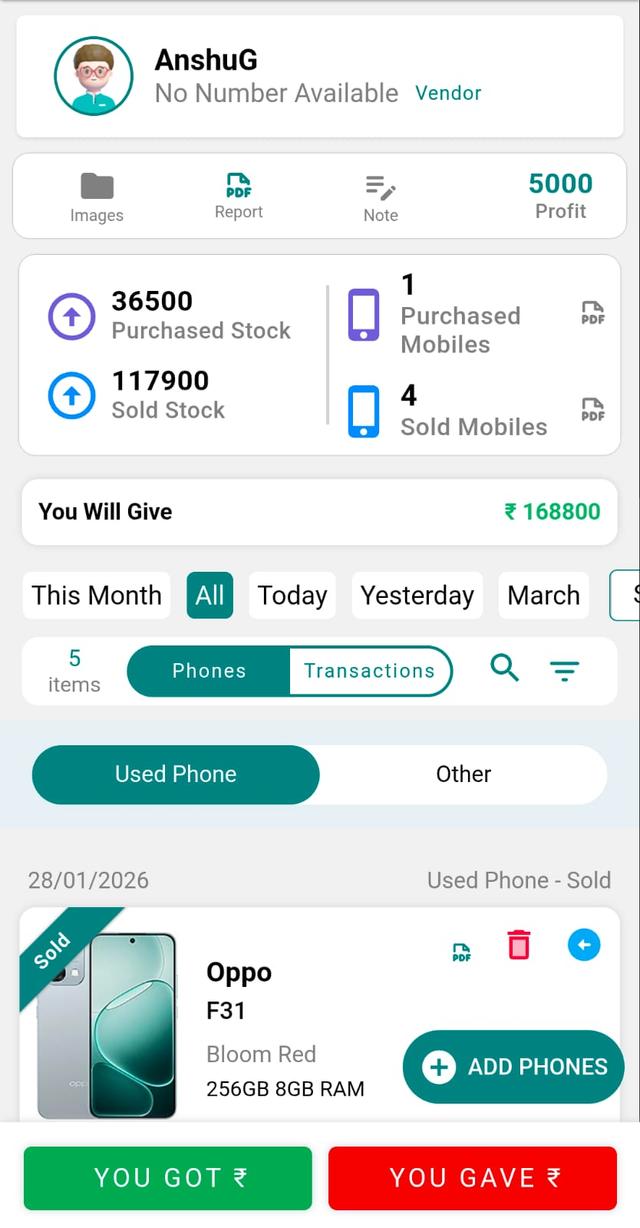
Tap on the party card to view complete transaction history.
Step 4: Select the Stock to Repurchase
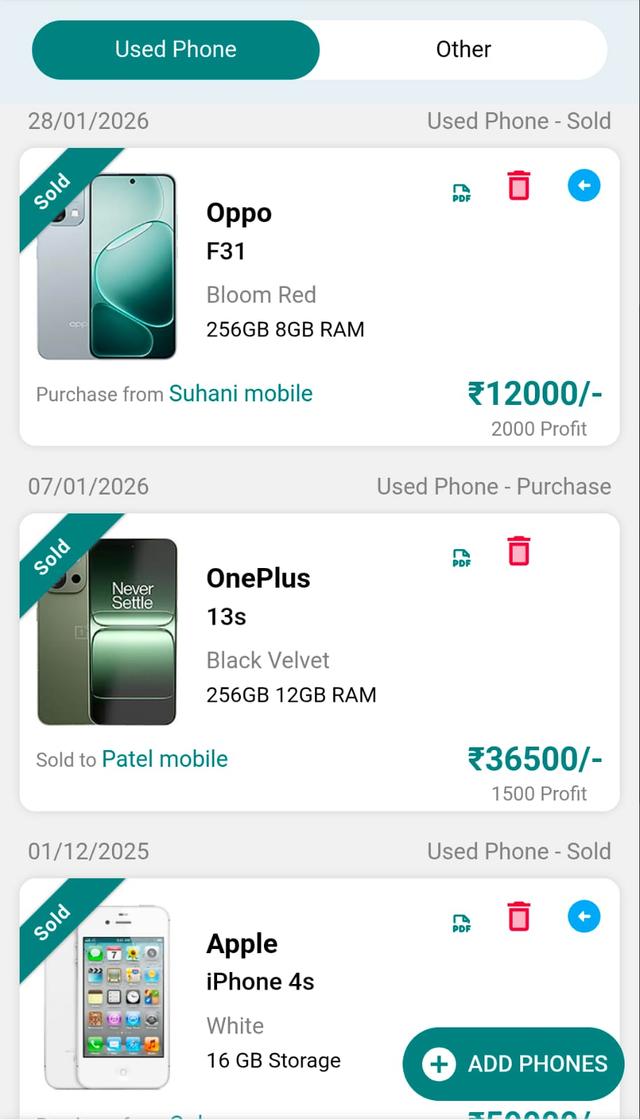
Find the previously sold item that is being sold back to you.
Step 5: Tap Reverse / Repurchase Icon
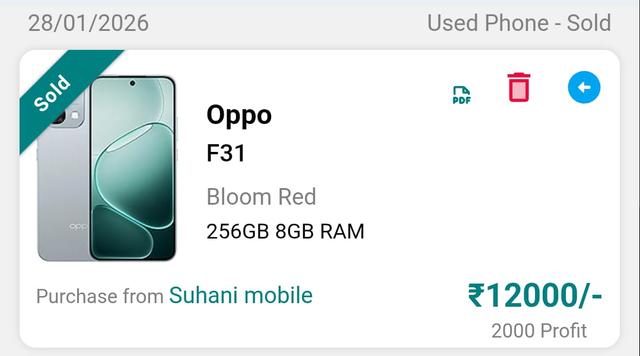
Tap the blue arrow icon (Reverse / Repurchase) on the stock card.
Step 6: Enter Purchase Details
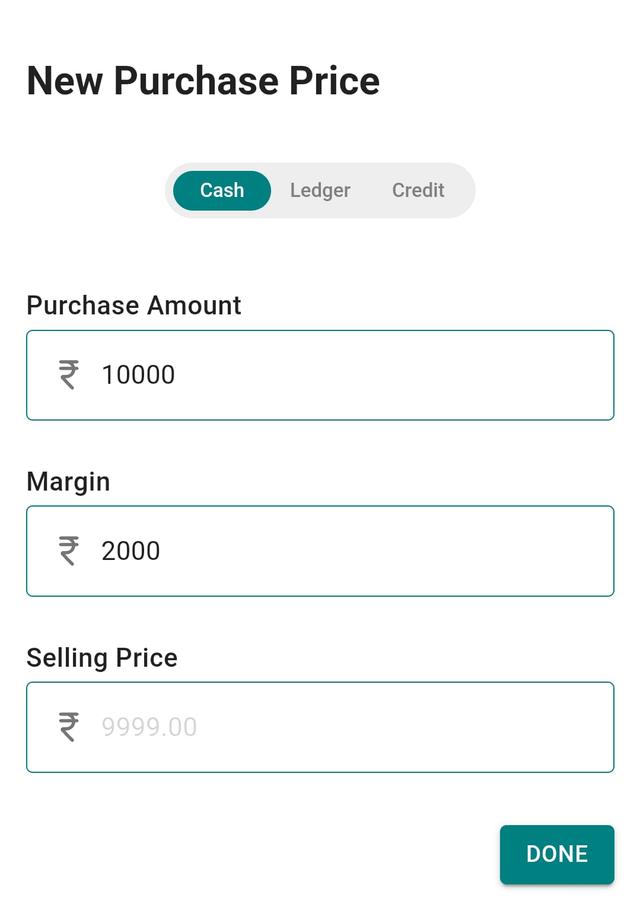
- Enter Purchase Amount.
- Enter Margin (expected profit).
- Selling price will be calculated or entered.
- Tap Done.
Step 7: Check Stock Entry
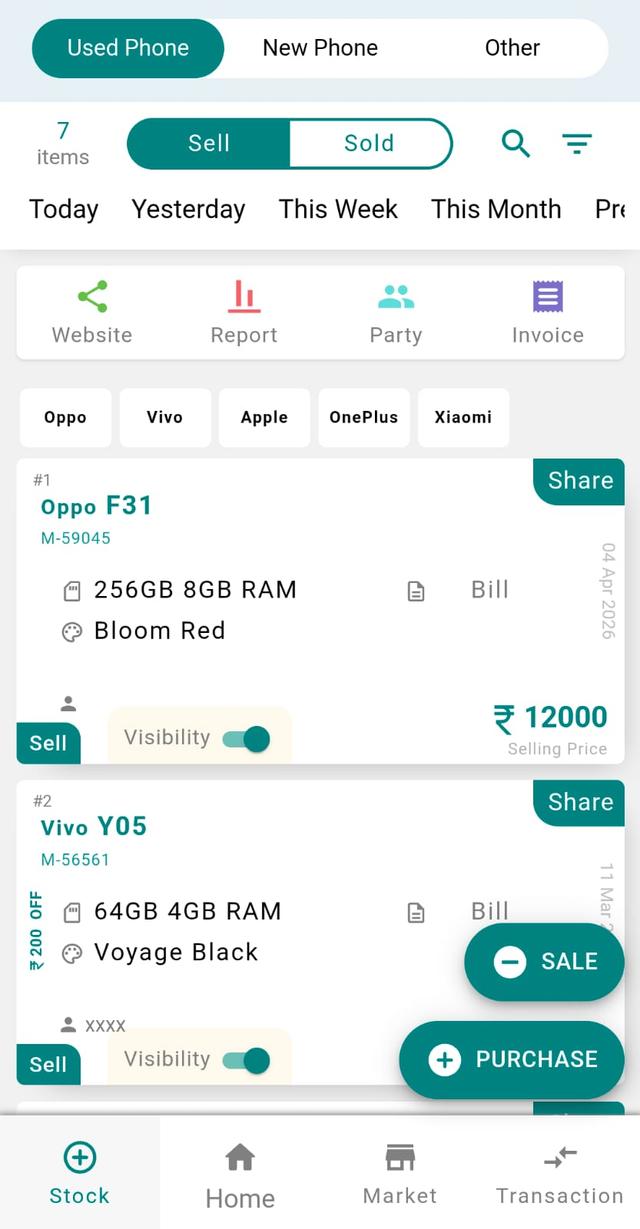
- Go to the Stock page.
- The item will now appear in your stock.
Step 8: Verify in Party History
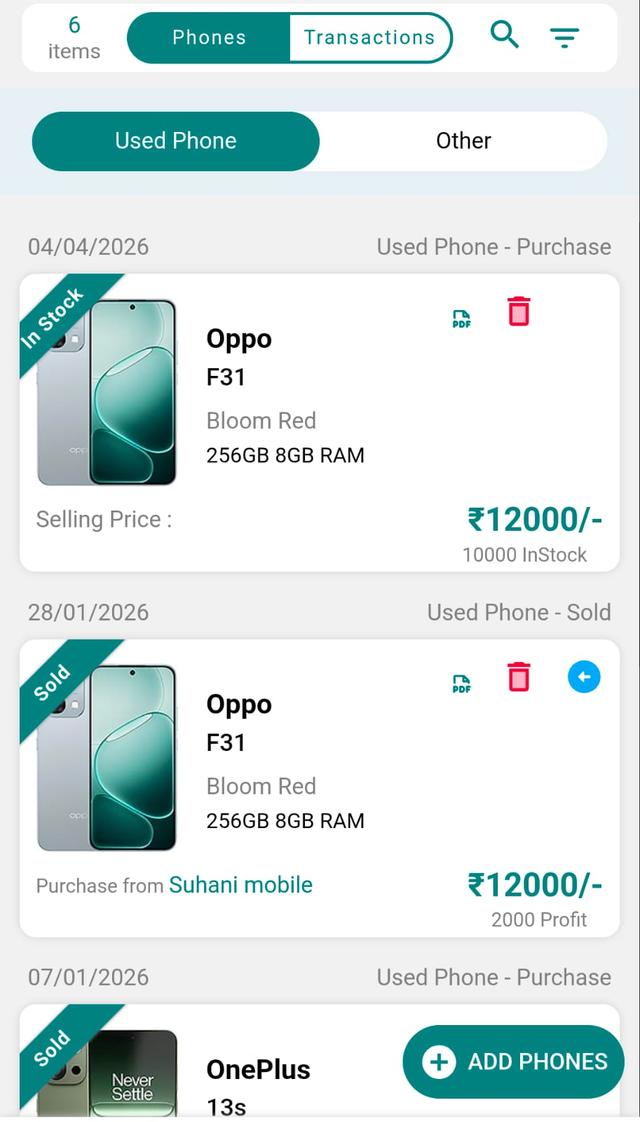
Open the same customer/vendor again to see the new purchase-side entry.
Final Note
This flow helps you track buy-back transactions cleanly, maintain proper history, and keep your inventory accurate when dealing with repeat devices.
Repurchasing and Buying Back Second-Hand Phone Stock
Buying back second-hand phones is a daily reality for most mobile shops in India. A customer walks in to upgrade, sells you their old handset, and that device becomes fresh resale stock. Phoneo's reverse / repurchase entry records this buy-back against the same customer or vendor, pulls the used phone back into your inventory with its purchase amount and expected margin, and keeps the party ledger clean. Because every repurchased device is tracked IMEI-wise, you always know exactly which second-hand units you own, what you paid for them, and what profit each one should earn when it sells again.
Why Accurate Buy-Back Tracking Matters
- IMEI-wise stock keeps each repurchased handset uniquely identified, so used and new units never get mixed up.
- Recording the buy-back price and margin shows the true profit on every resold second-hand phone.
- Linking the purchase entry to the customer or vendor keeps the party ledger and udhari balance correct.
- Clean repurchase history makes month-end GST and non-GST billing far easier to reconcile.
- Spotting slow-moving used devices early helps you plan dead-stock clearance before value drops further.
Related Guides & Features
- IMEI-wise stock tracking for second-hand and new phones.
- IMEI-based stock audit to verify physical units against your records.
- Dead-stock clearance to move aging used inventory.
- Smart inventory management for your full shop catalogue.
- GST & non-GST billing when you resell the repurchased device.
Ready to track every buy-back IMEI-wise? Open Phoneo to start your 7-day free trial, or see plans on the pricing page.